¶ Skills
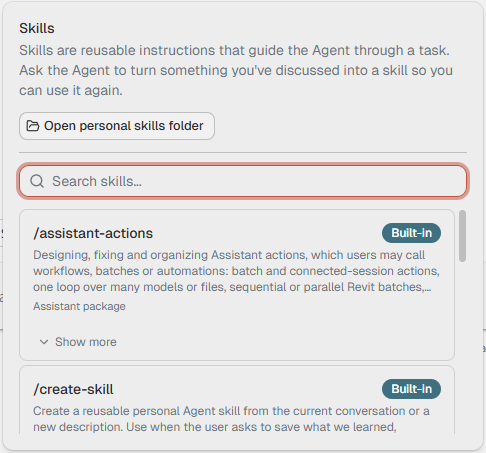
A skill is a set of instructions the Agent follows for one kind of job, such as building Assistant actions or writing Revit scripts. The Assistant comes with built-in skills, and you can make your own from a chat that went well.
¶ Use a skill
You do not have to do anything. When your request fits a skill, the Agent reads it first. You see this as a step, for example "Read skill: Assistant actions".
To pick a skill yourself, type / at the start of your message and choose from the list. Skills, under the message box, lists every skill you have, with a search box.
¶ Make your own
When the Agent has done a job the way you want it, ask: "Save what we did as a skill." The Agent writes the skill and asks before it saves it.
- Your own skills are stored in your personal skills folder, %LOCALAPPDATA%\Assistant\skills. Open personal skills folder, in the Skills menu, opens it.
- To change a skill, ask the Agent to. If you change a built-in or shared skill, you get your own copy, and the original stays as it was.
¶ Share skills with your team
Put the skill folders on a shared drive. Each colleague adds that folder in AI settings, under Skills, with Add folder. Shared skills are read-only for the people who use them, so only the folder owner changes them.
The label on each skill says where it comes from: Built-in, Personal or Shared.