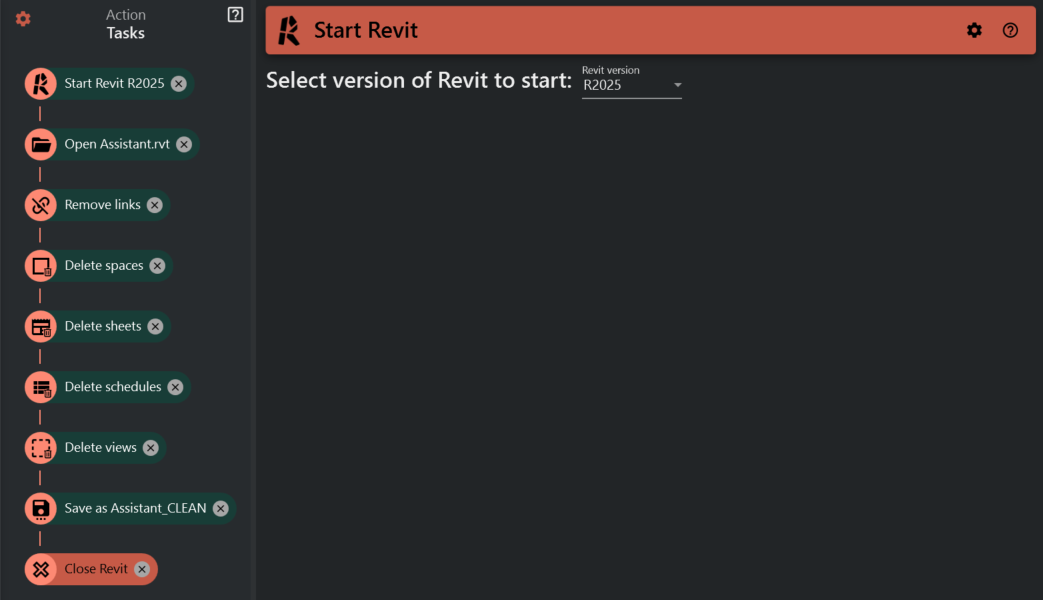
¶ Model Cleanup
¶ Introduction
In this example we are going to set up Assistant to perform a model cleanup on a Revit file. Our end goal is to remove as much from the file as we can to reduce the size of the Revit file, making it easier to work with for the receipient.
We will do this my opening with audit, removing link, views, sheets, schedules, spaces etc and the saving as a new central file (assuming you are working on a workshared model) with compression.
¶ Setting it up in Assistant
-
Open Assistant in the Assistant tab

-
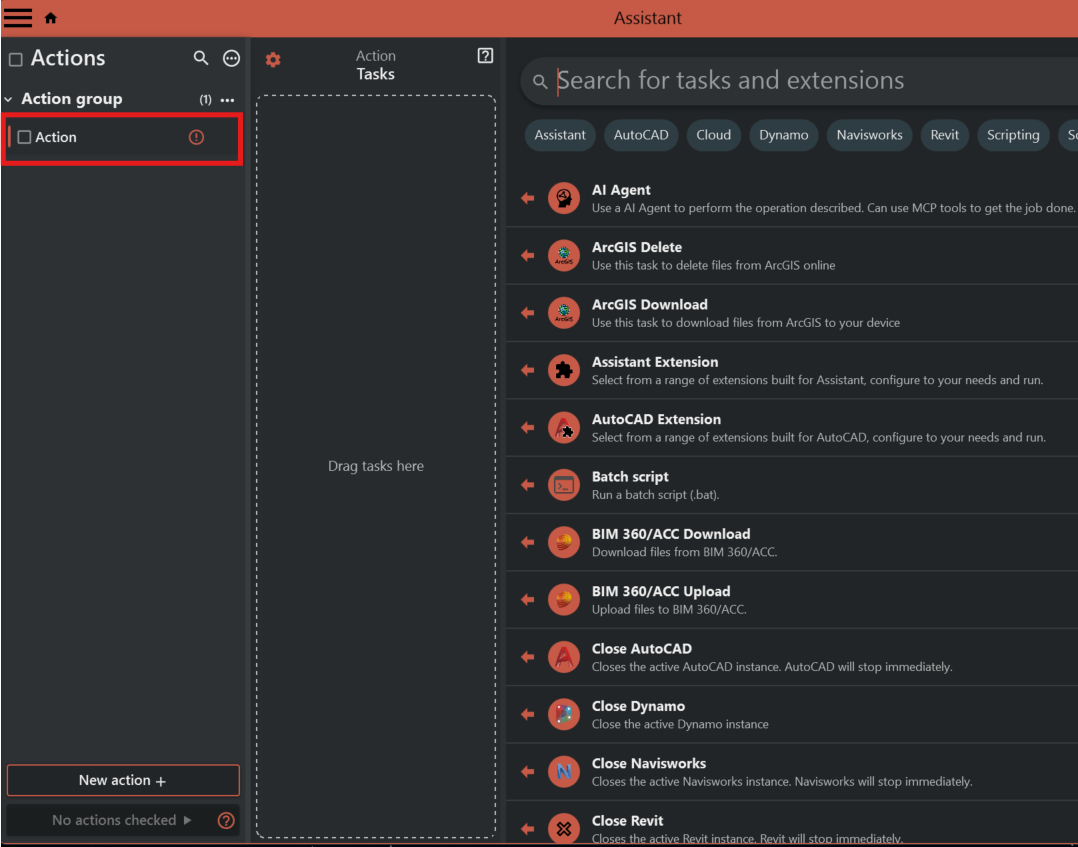
Select "Action" on the left
-
Add open Revit model task
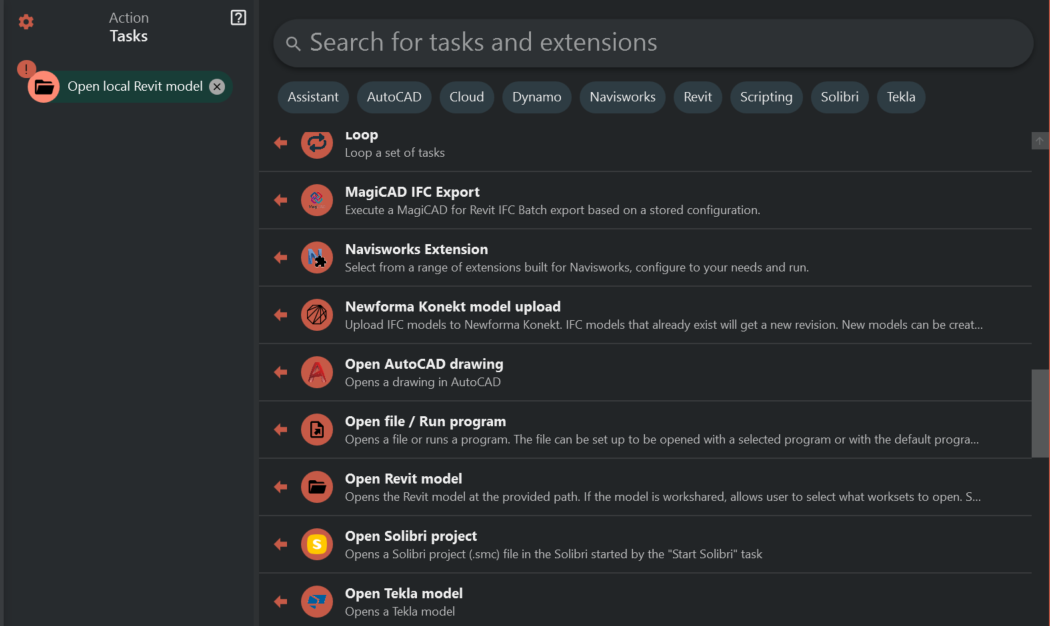
4. Configure the open revit model task
4.1. Browse to your revit project file
4.2. Select "Audit" and "Detach from central"
4.3. Select the worksets you need. For better performance its recommended to have all your links on dedicated worksets and leave these closed during this procedure.
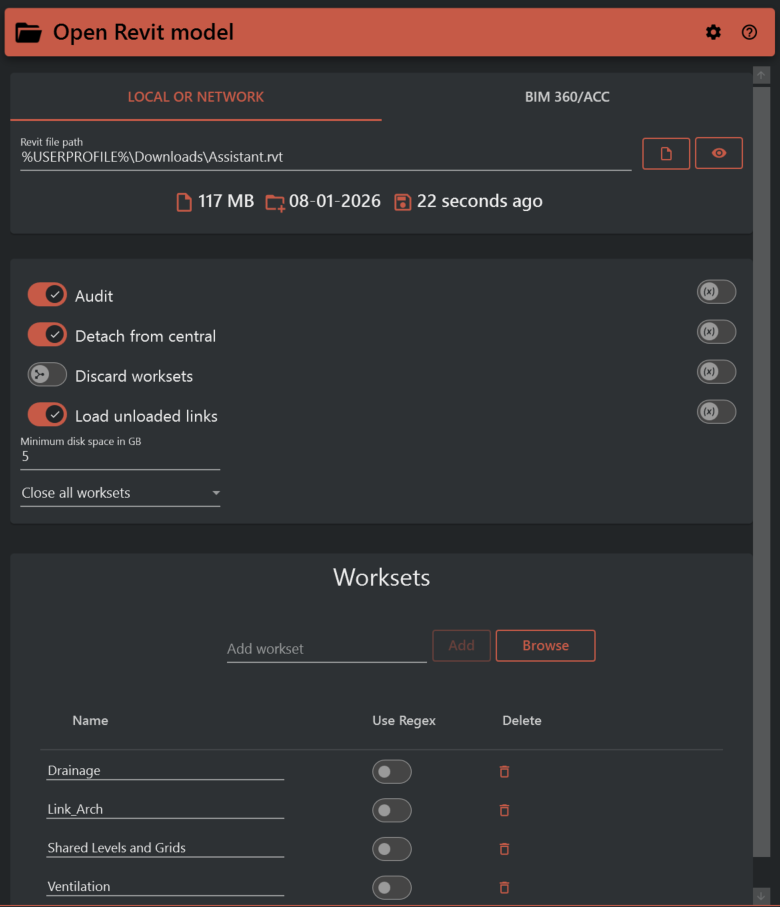
4.4. Optional: Disable "Keep model open" to leave the model closed after Assistant is done. This option exists because Revit don't allow addins to close the last open model, so if this is your only open model the "Close model" task will not work.
5. Add cleanup tasks
5.1. Remove links
5.2. Delete spaces
5.3. Delete sheets
5.4. Delete schedules
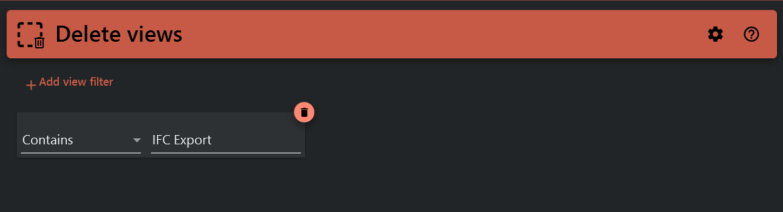
5.5. Delete views
5.5.1 This task can be configured to keep some views if necessary. Here we keep all views with "IFC Export" in the name.
6. Add and configure save/synchronize model task
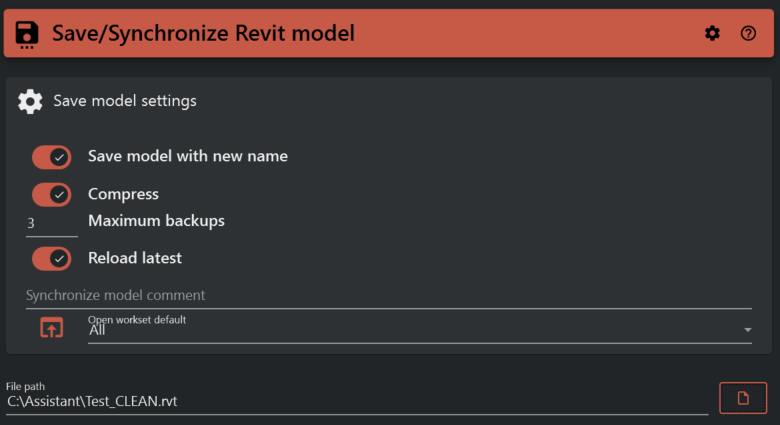
6.1. Add the save/synchronize model task
6.2. Enable "Save model with new name"
6.3. Enable "Compress" (this is optional, but recommended).
6.4. Select path to save the cleaned model.
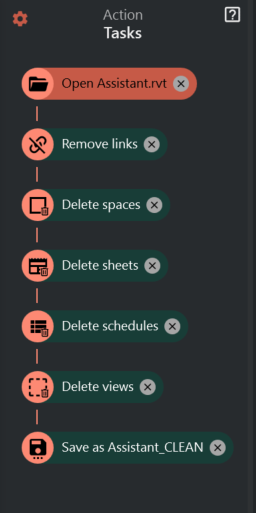
Once completed, your action should look something like this:
¶ Running
Run the action either by checking the checkbox on the "New action" on the left and click the run button in the lower left corner, or by clicking the vertical dots on the right of "New action" and hit "Run".
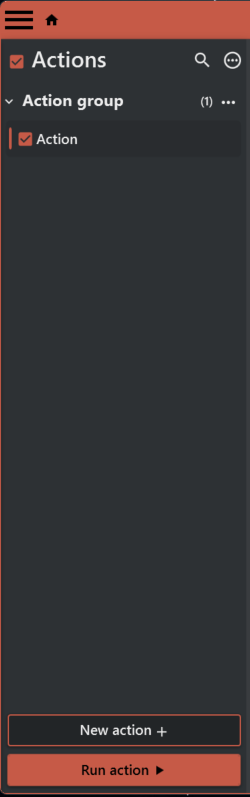
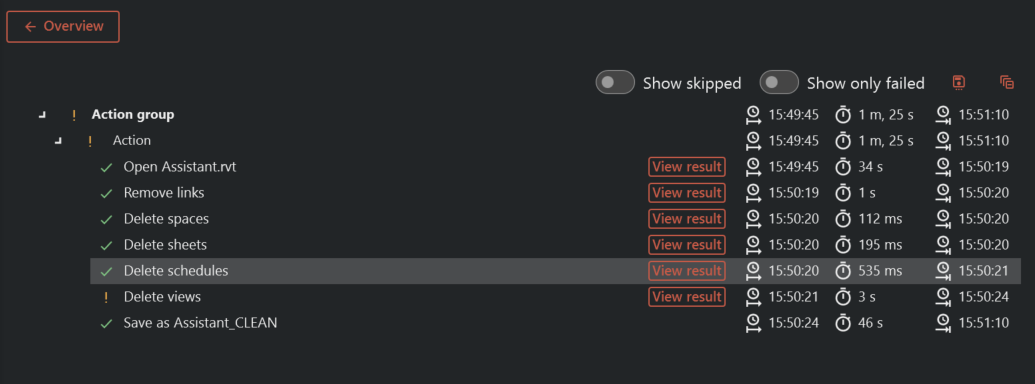
Once completed, the result should look like this:
¶ Optional
Assistant can be run from the desktop. Simply pin assistant in the task bar or search for Assistant in the start menu. This allows for using Assistant without having a Revit running. To run an action without any Revits running we need to add "Start Revit". We can also add "Kill active Revit" to close Revit when the action is completed.