¶ Revisions Help files
¶ About
This macro tries to find a matching revision in Revit document or adds a new if not. It will also apply the revision
to all slected Sheets in Project Browser. Lastly it can also set parameters on sheets by adding the parameter name and a parameter value.
¶ Insert data
¶ Revision data
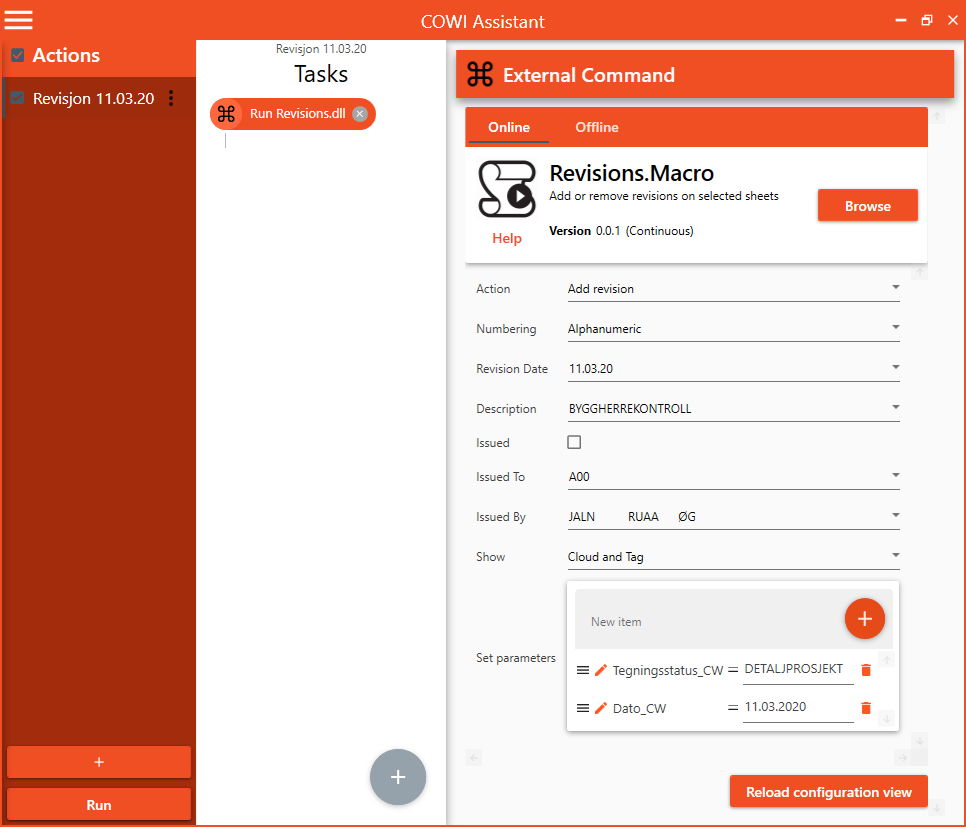
Use the first input to choose if the revision should be added or removed from selected sheets. The rest of the inputs is the same as the built in Revision manager in Revit.
¶ Sheet data
To add data to the titleblock and sheet, write the name of the parameter in New Item field and press + sign to add the parameter to the set parameters list. Then write the desired value for the parameter.
¶ Select sheets
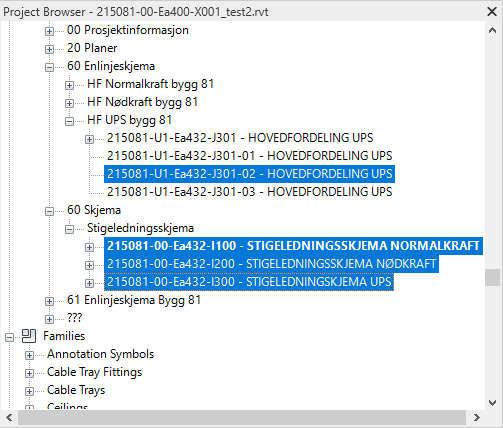
Go to Project Browser and select one or more sheets to do the action on. Its important to have the focus on the selected sheets when the macro runs