¶ Line Type On Drawing Check
This extension checks for not allowed line types in drawings.
¶ Purpose
The LineTypeOnDrawingCheck extension helps users maintain drawing quality standards by:
- Identifying lines with non-allowed line types in Tekla Structures drawings
- Generating a CSV report of all lines that don't meet the standard
- Optionally changing the color of non-conforming lines for easy identification
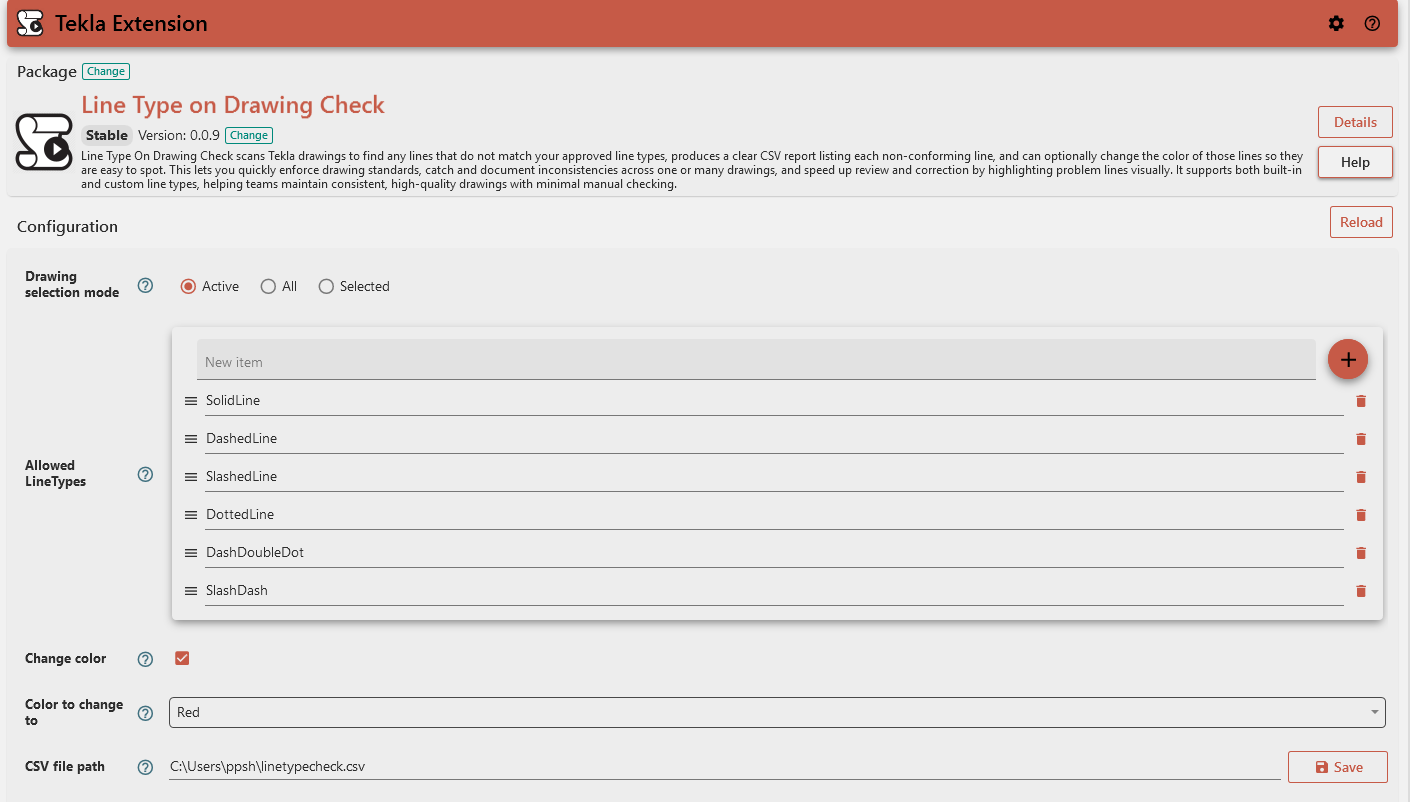
¶ Usage
¶ Configuration Options
¶ Drawing Selection Mode
Choose which drawings to analyze:
- All: Process all drawings in the model
- Selected: Process only drawings currently selected in the model
- Active: Process only the currently active drawing
¶ Allowed Line Types
Define which line types are considered acceptable. The default line types are:
- SolidLine - The solid continuous line (_____).
- DashedLine - The dashed line (-----).
- SlashedLine - The slashed line (- - -).
- DashDot - The dash dotted line (--.--.).
- DottedLine - The dotted line (.....).
- DashDoubleDot - The dash double dotted line (-..-..-).
- SlashDash - The slash dash line (-- - -- -).
You can customize this list according to your drafting standards. These line types are not technically allowed by default - they are simply the built-in line types for Tekla. This means that users should remove any default values from this list if a particular type is not allowed in their project.
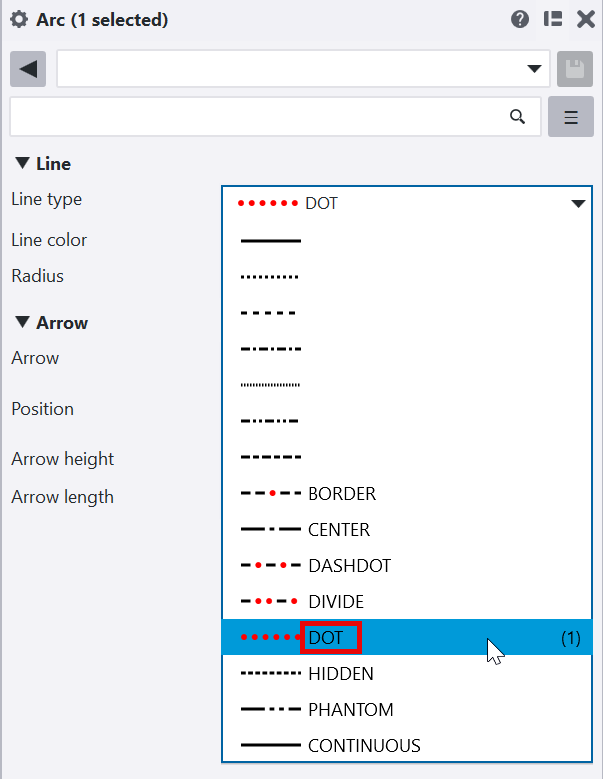
The extension also supports custom line types, which are identified by their name in Tekla. The image illustrates a custom line type with the name 'DOT'.
¶ CSV File Path
Specify where to save the report of non-conforming lines. This field is required.
Example: C:\Tekla\LineTypesCheck.csv
¶ Change Color
When enabled, this option will automatically change the color of any lines with non-allowed line types.
¶ Color to Change To
If "Change Color" is enabled, this specifies which color to apply to non-conforming lines.
Default: Red
¶ Output
The extension generates:
- A CSV file containing details of all non-conforming lines, with columns for:
- DrawingName - Name of the drawing
- Mark - Drawing mark reference
- DrawingTitle1 - Primary drawing title
- DrawingTitle2 - Secondary drawing title
- DrawingTitle3 - Tertiary drawing title
- Type - Object type as line
- Font Name - Blank column required for the purpose of consolidation
- Font Height - Blank column required for the purpose of consolidation
- ModelIdentifier - Blank column required for the purpose of consolidation
- PartNumberPrefix - Blank column required for the purpose of consolidation
- PartNumberStart - Blank column required for the purpose of consolidation
- LineType - Line type inside the drawing (eg., Center, DashDot etc)
- A completion message indicating:
- Number of drawings checked
- Number of non-allowed line types found (if any)
- Whether the operation was successful
¶ Result Messages
- Success: "Checked X Drawings. All LineTypes are allowed."
- Partial Success: "Checked X Drawings. Y LineTypes are not allowed."
- Error: Various error messages including:
- "CSV file path is empty. Please provide a valid path."
- Drawing update failures with specific drawing names/marks listed
- Any issues encountered while saving the CSV file
¶ Troubleshooting
- If you receive an error about an empty CSV path, ensure you've specified a valid file path.
- If no non-allowed line types are reported but you expect some, verify your "Allowed Line Types" list.
¶ Technical Notes
- The extension works with standard Tekla line types as well as custom line types.
- For custom line types, the extension uses the custom line type name for comparison.