¶ What it is
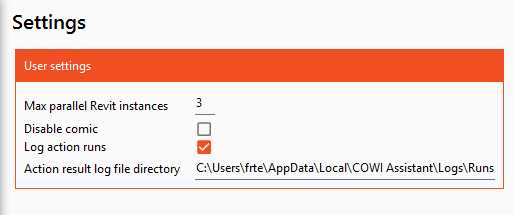
Options are user specific settings for Assistant
¶ Where to find
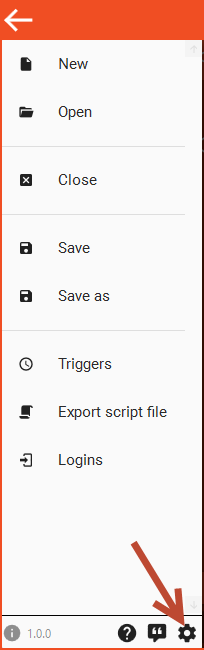
You can find options in the hamburger menu.
¶ What it does
¶ Max parallel Revit instances
Defines the maximum amount of Revit instances that Assistant can have running at the same time. This does not concider Revit instances that is started by another Assistant, other app or by the user, only Revit instances that are started with the "Start Revit" task. Once a Revit that is started by Assistant is closed, Assistant will know and will allow for a new Revit to start.
¶ Disable comic
Enabeling this will hide the comic from the home screen.
¶ Log action runs
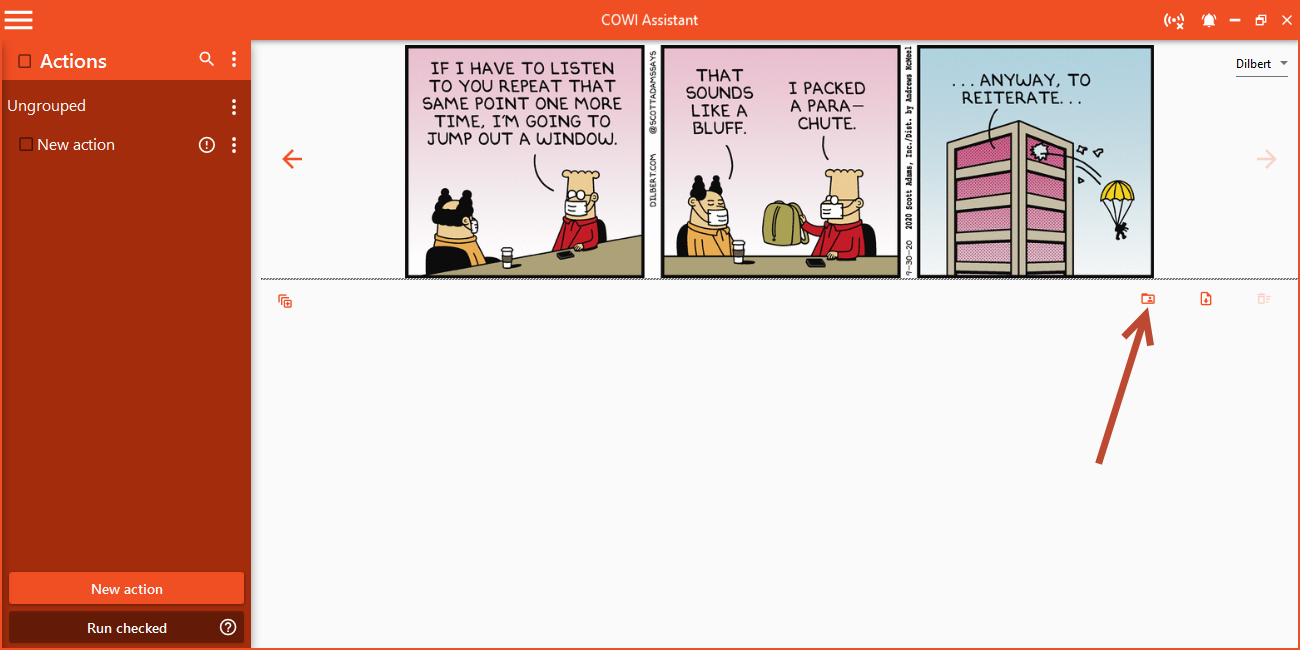
Enable to log each action run to a file in the specified directory. The user can then drag these files into the home screen to view them later, or open them using this button:
¶ Action result log file directory
The directory to save each action run log file to. This is your personal log folder, so it's recommended to use the default path or any other folder on your local machine.
¶ Action run log files
An action run log files are placed in folders by date like this:
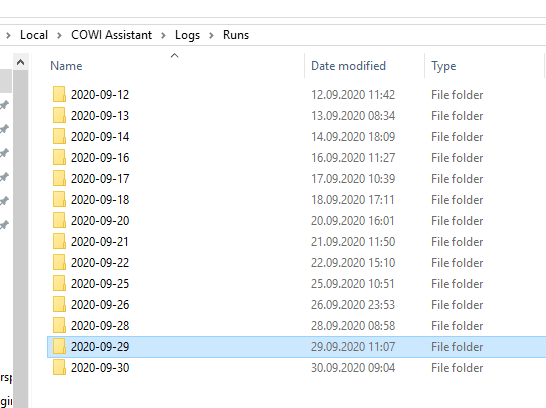
Each folder contains .actionrun files.
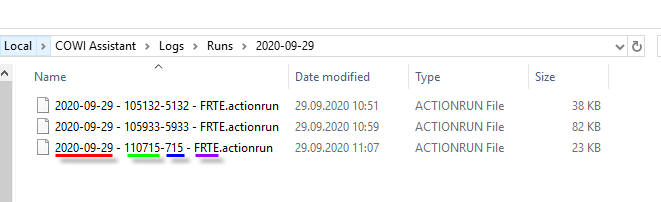
Each file has a file name with the following structure:
- Date: Date of completed run
- Time: Time of completed run
- Time (Milliseconds): Millisecond time part of completed run (to avoid overwriting if multiple runs completes the same second).
- Username: Name of the user.