¶ Delay
¶ Overview
The 'Delay' task function allows you to set a pause between consecutive tasks within a process. This can be particularly useful when a subsequent task depends on the completion of a prior task that may take an indeterminate amount of time.
¶ Step 1: Locating the Delay Task
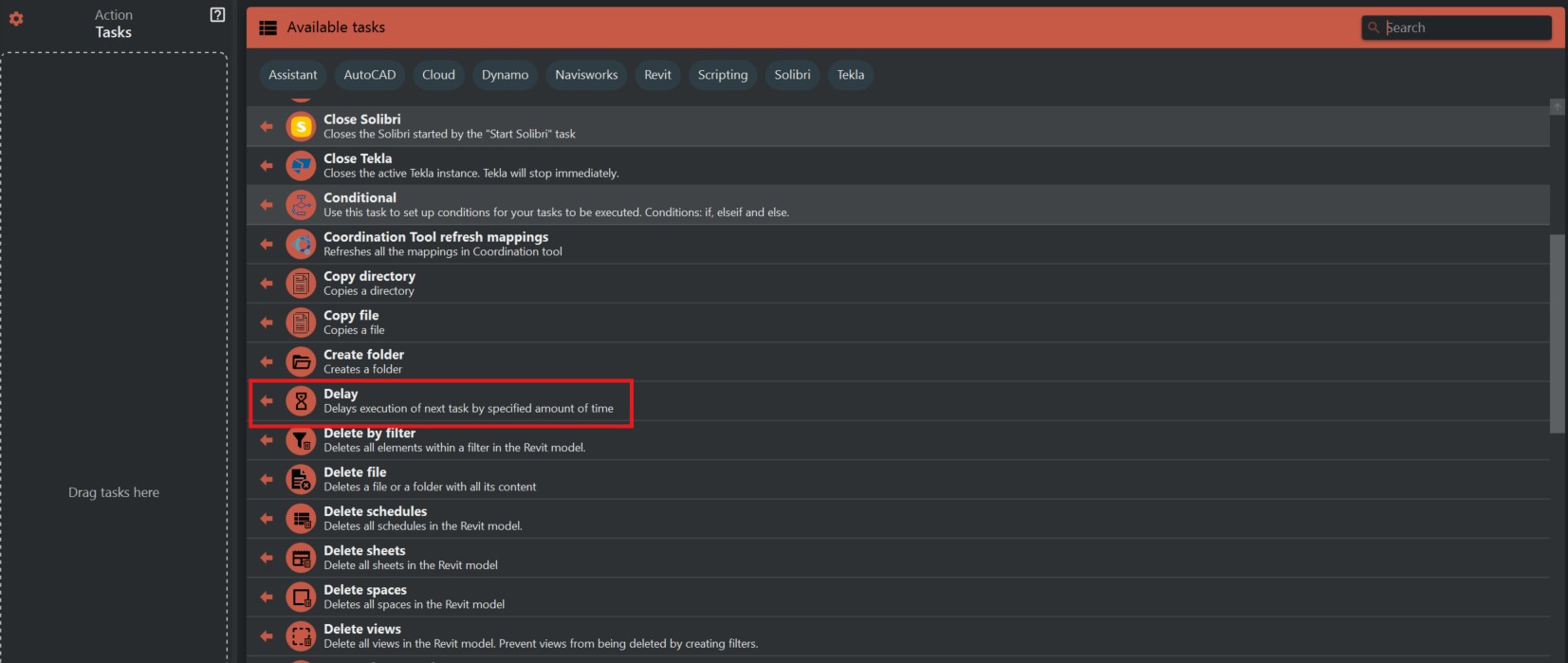
- Look to the right side of the screen to find the 'Available tasks' section.
- Identify and click on the ‘Delay’ task.
¶ Step 2: Configuring Delay
- Click on the 'Delay' task to open its options.
- You will see a field to specify the delay time. Enter the number of seconds you want the process to wait before moving to the next task.

¶ Step 3: Implementing the Delay
- After setting the desired delay time, ensure it is saved correctly in the system.
- Integrate the 'Delay' task into the sequence where the pause is required.
- The process will now pause for the specified amount of time before continuing to the next task.
¶ Important Notes:
- Make sure that the delay time is set accurately to prevent any unnecessary waiting or a rushed execution of subsequent tasks.
- Use delays judiciously to keep the overall process efficient.
- Remember to consider the delay when estimating the total time for the process to complete.