¶ Revit IFC Export
¶ Overview
This guide explains how to use the 'Revit IFC Export' task to export an IFC file from your Revit model.
¶ Step 1: Accessing the Export Task
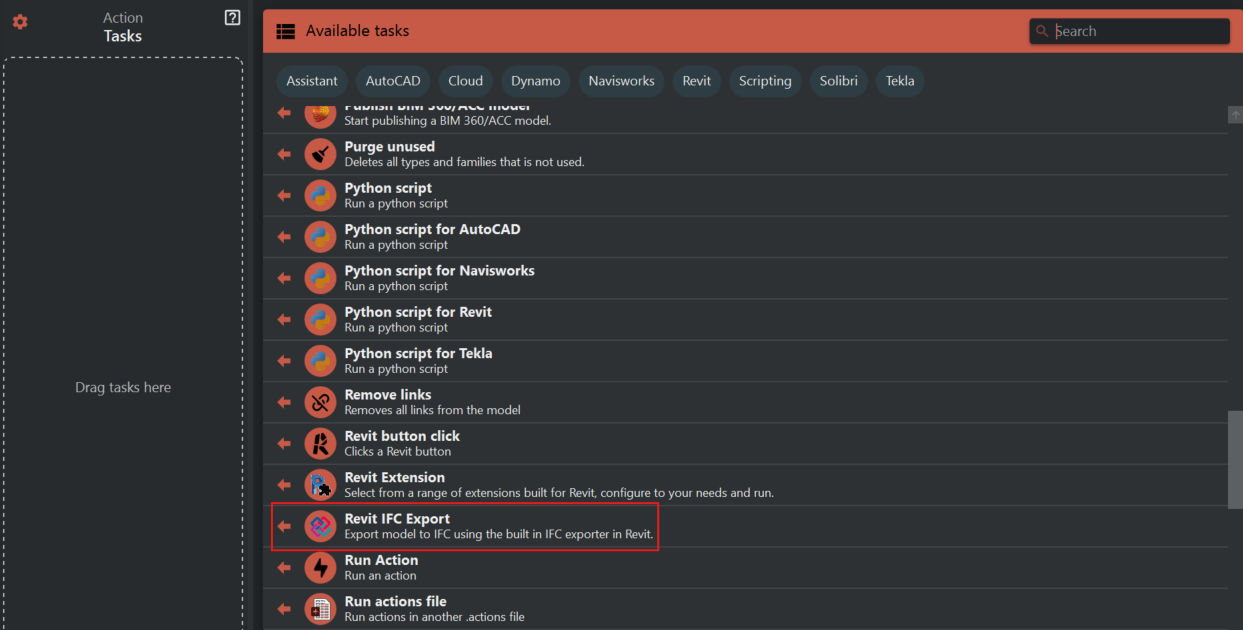
- Look to the right side of the screen to find the 'Available tasks' section.
- Identify and click on the ‘Revit IFC Export’ task.
¶ Step 2: Configuring the Export Settings
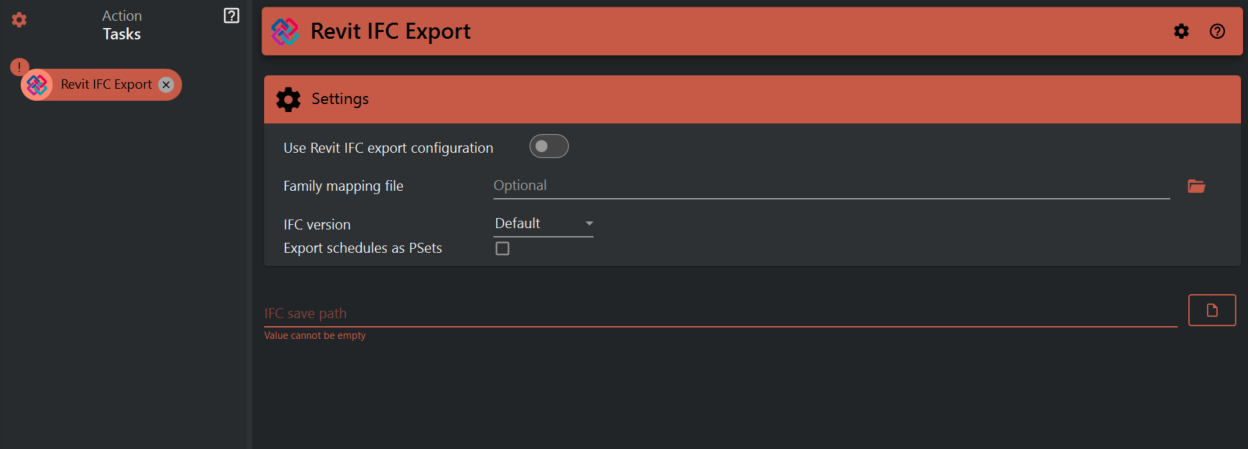
Once the task is selected, a settings panel will appear with several options:
- Use Revit IFC Export Configuration
- Toggle on if you wish to use a custom IFC export configuration.
- Family Mapping File
- This is optional. Use the folder icon to navigate to and select a family mapping file if needed. This file helps to map Revit families to the appropriate IFC classifications.
- IFC Version
- Choose the IFC version for the export, such as IFC 2021 or IFC 2022, from the drop-down menu.
- Export Schedules as Psets
- If you need to export Revit schedules as property sets within the IFC, check this box.
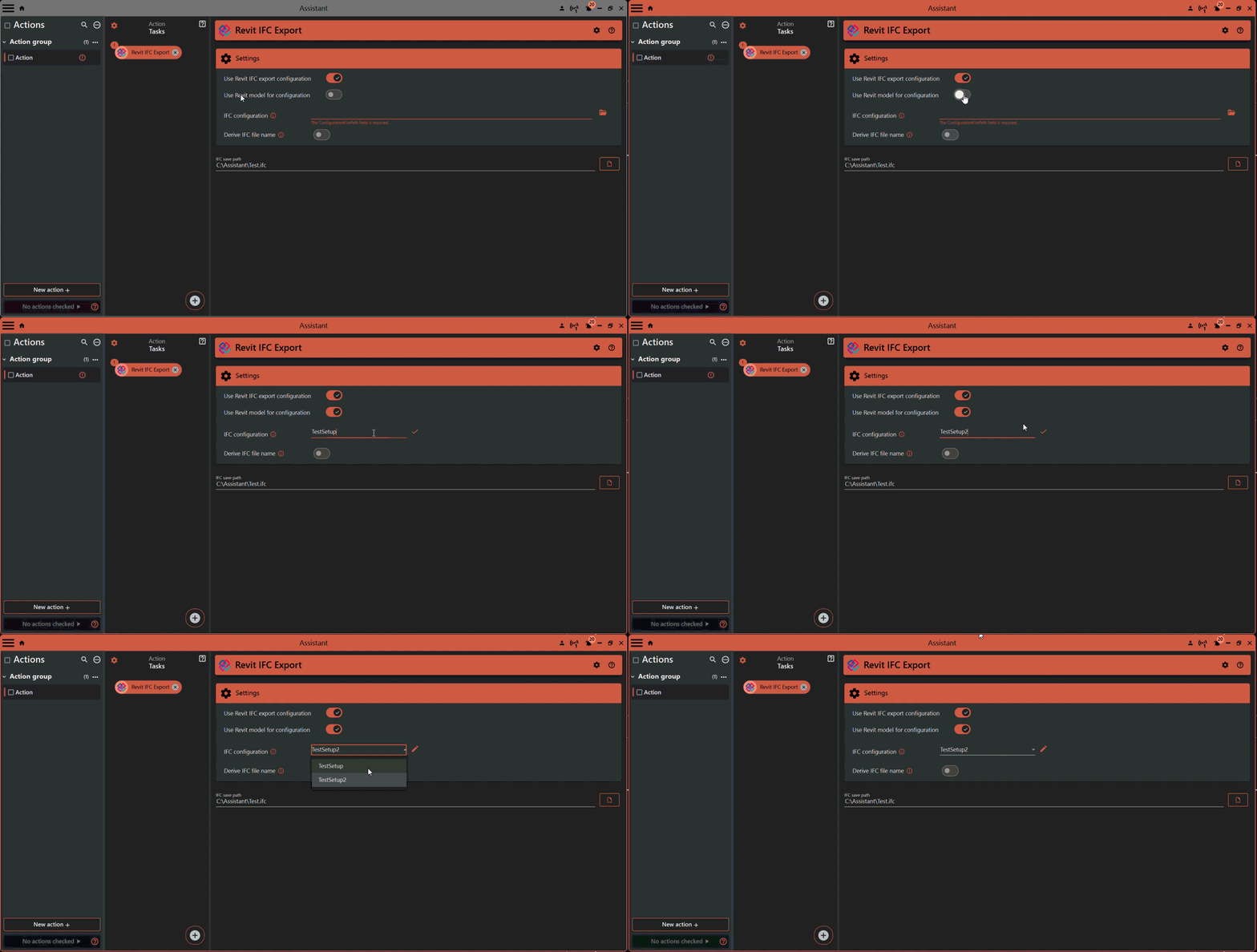
- If you turn on Use Revit IFC export configuration you get additional options:
- 'Use model configuration' allows you to use configurations straight from the model. If you are connected to revit model you will be provided with existing configuration names.
- The 'Add Configuration Name' function enables you to specify a configuration name to be used during the export process. If a configuration with the specified name does not exist in the model, the task will fail.
- 'Derive IFC file name' When enabled, user can specify where to get the IFC file name from instead if specifying it in the save path.
¶ Step 3: Setting the IFC Save Path
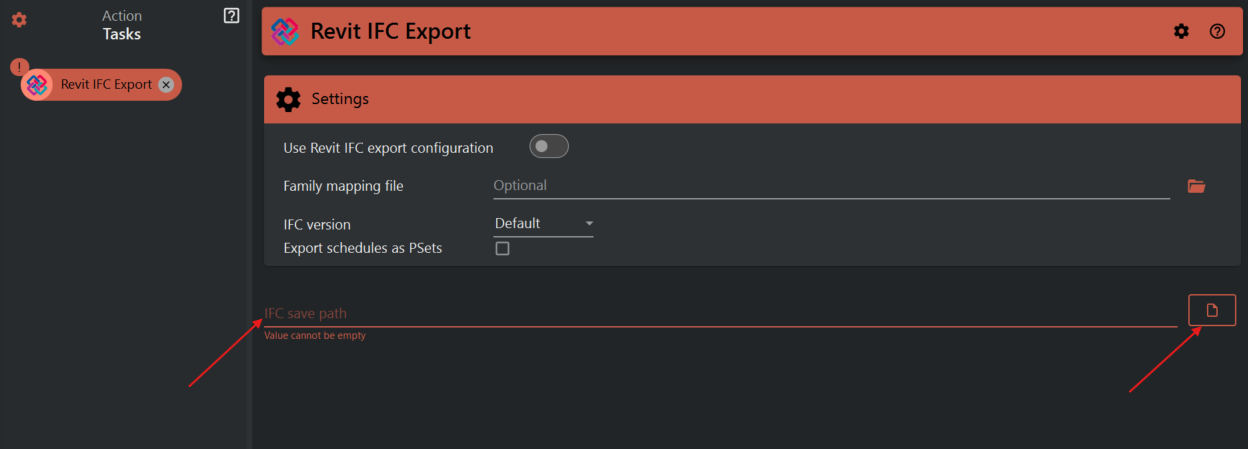
- Enter the save path for the IFC file in the ‘IFC save path’ field. You can manually enter a path or use the folder icon to navigate to the desired location on your computer.
¶ Step 4: Executing the Export Task
- After configuring the settings, execute the ‘Revit IFC Export’ task.
- You might be prompted to confirm the settings before the export begins, depending on your interface.
¶ Step 5: Confirming the IFC File Creation
- Once the export is completed, navigate to the save path you set to ensure the IFC file has been created.
¶ Important Notes
- Make sure that the Revit model is ready for export and that all necessary adjustments or clean-ups have been performed prior to this task.
- Always verify the save path and settings before executing the task to prevent any misplacement or misconfiguration of the exported file.
- The family mapping file should be accurate and up-to-date to ensure the correct translation of Revit elements to IFC.