¶ Start Solibri
¶ Overview
This simple guide will assist you in using the 'Start Solibri' task to initiate Solibri Model Checker directly from your interface.
¶ Step 1: Locate the Task
- Look to the right side of the screen to find the 'Available tasks' section.
- Identify and click on the ‘Start Solibri’ task.
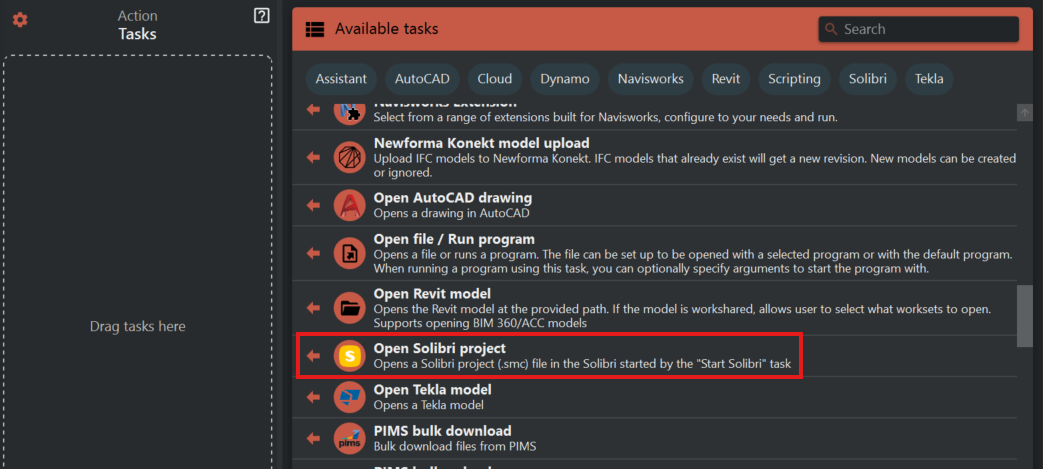
¶ Step 2: Start Solibri
- Upon selecting 'Start Solibri', the task will automatically launch the Solibri Model Checker application.
- There are no additional options or settings to configure for this task.
¶ Step 3: Verify the Launch
- After initiating the task, Solibri Model Checker should open on your screen.
- If Solibri does not start, ensure that it is properly installed on your system and that you have the necessary permissions to run it.
¶ Important Notes
- This task is designed for simplicity and ease of use, requiring only a single click to start the application.
- Ensure that your system meets the necessary requirements to run Solibri Model Checker to avoid any launch issues.
- Use this task to streamline your workflow and quickly access Solibri for model checking and analysis.