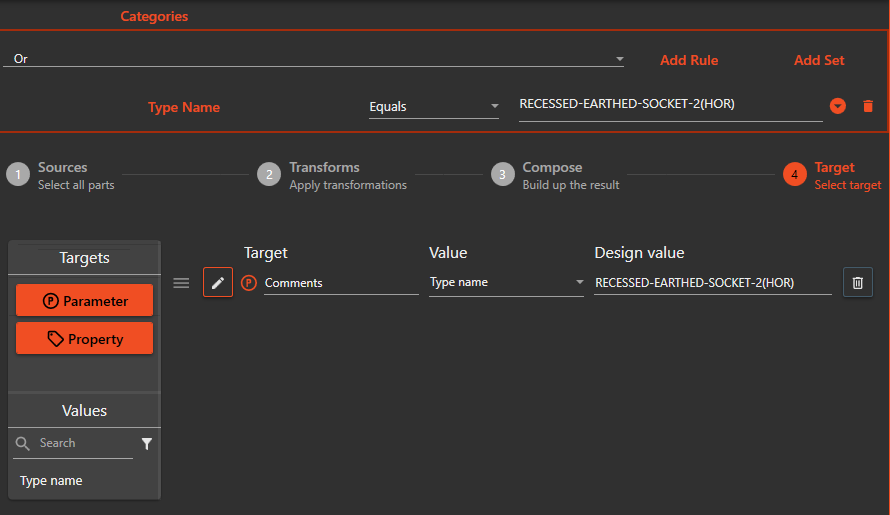
¶ Parameter Copy Check
The Parameter Copy check is used to copy the values of parameters on all elements matching a filter. This allows for transferring, merging, transforming, and other operations of the values into another parameter on the element.
To set up the values to copy, the user can use the Value Copy Control. The values are copied to and from the same elements.
¶ Usage
- Select the elements you want to copy parameters from.
- Set up the values to copy using the Value Copy Control.
- Run the Parameter Copy check.
- The check will copy the values from the selected parameters to the target parameters on the selected elements.
¶ Additional Information
- The user can copy multiple parameters at once
- The user can copy values to multiple parameters at once
- The user can set up rules for how to copy the values
- The user can set up a prefix and/or suffix to add to the value when it is copied.
¶ Example
- Configure the filter to select all the walls in your model
- Set up a rule to copy the value of the parameter "Length" to the parameter "Comments"
- Run the Parameter Copy check
- The check will copy the value of the "Length" parameter to the "Comments" parameter on all walls within the filter.