¶ Proximity by geometry
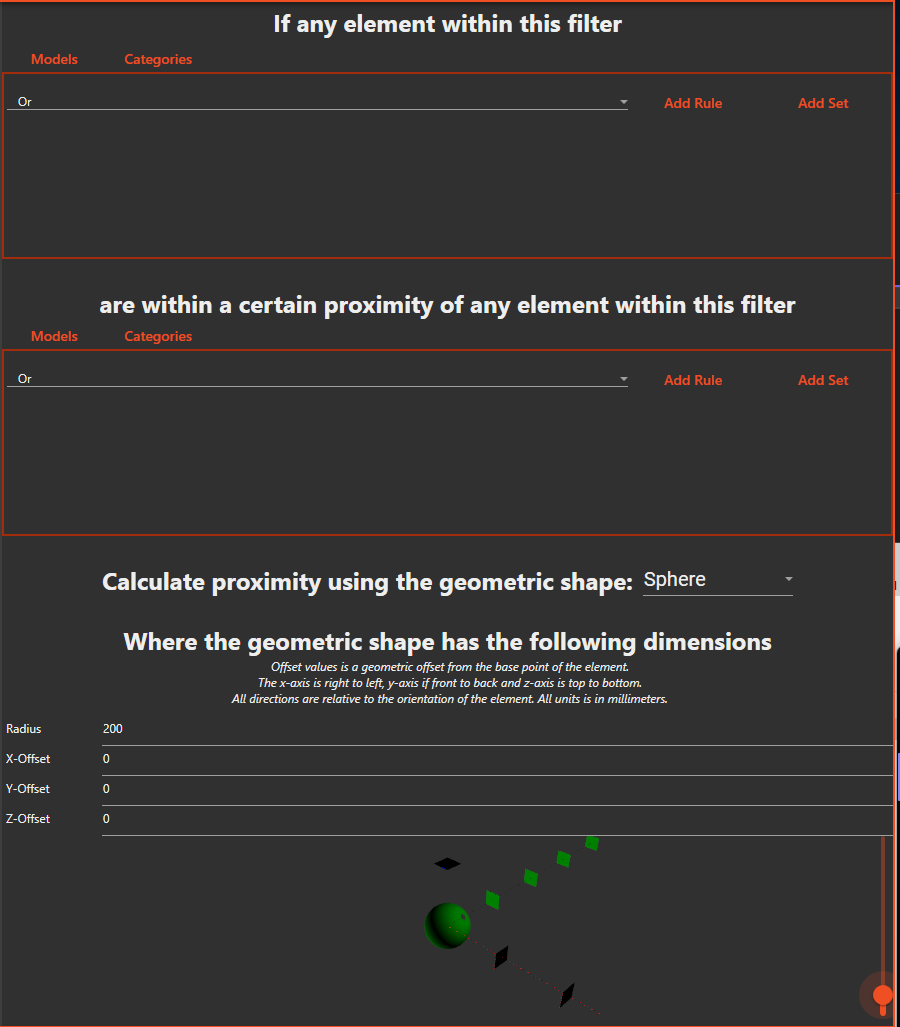
This check identifies elements that are within a given range of another element, defined by different geometries. The available geometries are cylinder, sphere and box. The dimensions of all geometries can be configured in the check.
¶ If any element within this filter
Configure this filter to select all elements that should be checked.
¶ are within a certain proximity of any element within this filter
Configure this filter to select elements that should not be within the given proximity of the elements in the first filter
¶ Calculate proximity using the geometric shape
Select the type of shape that should be used. Enter the dimensions of the shape.
You can also add an offset, where positive X is front and negative X is back, positive Y is right and negative Y is left and positive Z is up and negative Z is down.