¶ Assistant 26.10.0
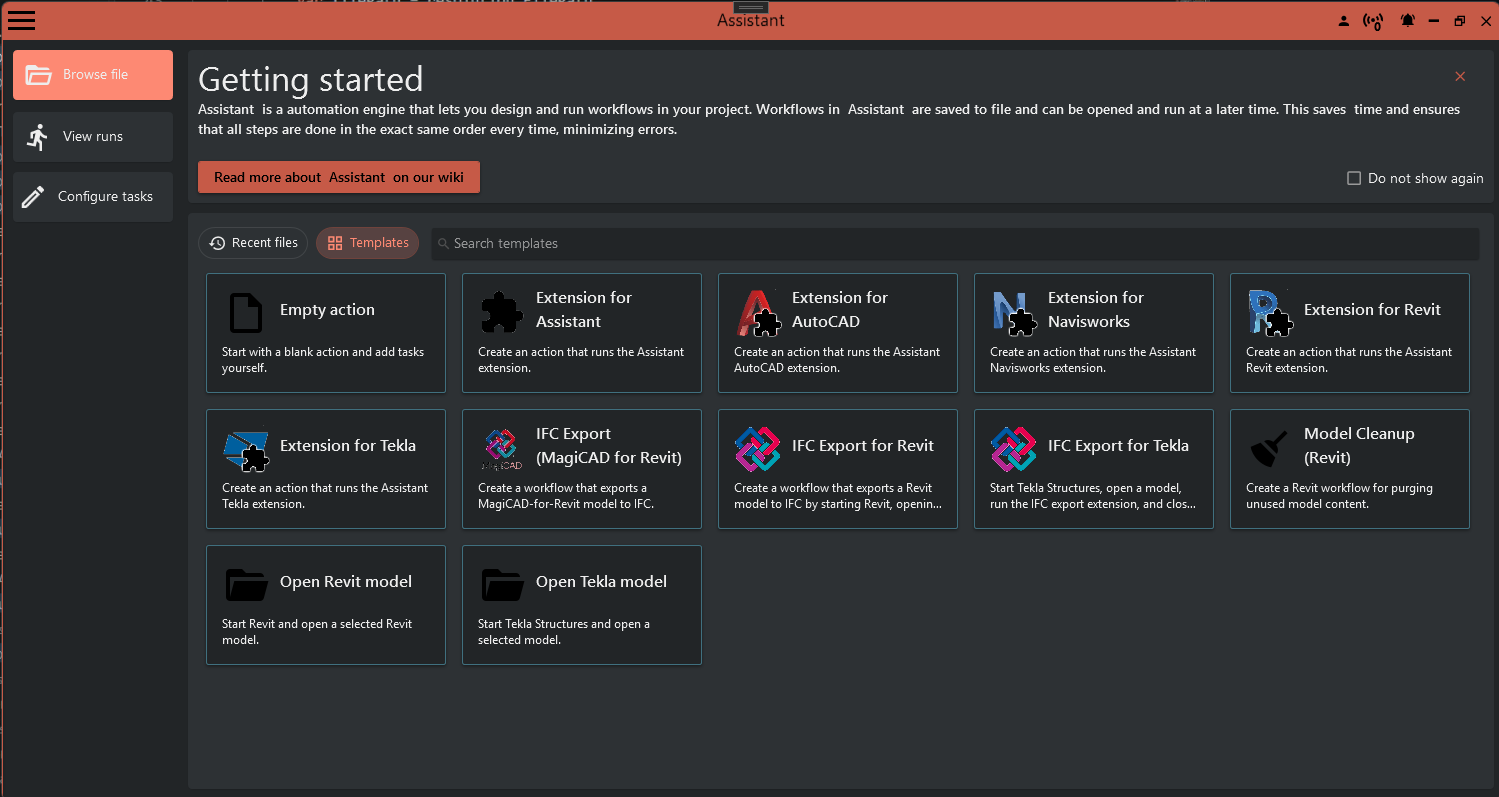
The Assistant now starts faster, and the start page has 16 templates for common jobs such as batch PDF exports and Navisworks clash checks. Revit IFC exports keep the property sets you chose. This release also ends support for older versions of Revit, AutoCAD, Navisworks, Tekla Structures and Dynamo, so check the list below before you update.
Before you update
The Assistant no longer supports these versions:
- Revit 2019, 2020 and 2021
- AutoCAD 2018 to 2023
- Navisworks 2019 to 2023
- Tekla Structures 2020, 2021 and 2022
- Dynamo before 2.12
Autodesk and Trimble no longer support these versions either. If you still work in one of them, stay on Assistant 26.9.1 until you have upgraded Revit, AutoCAD, Navisworks or Tekla Structures. We strongly recommend that upgrade.
Installing 26.10.0 removes the Assistant add-ins for the old versions. Your action files and schedule triggers work as before.
Tekla Structures 2025 is new in this release. Supported now: Revit 2022 to 2027, AutoCAD and Navisworks 2024 to 2027, Tekla Structures 2023 to 2025, and Dynamo 2.12 and later.
¶ Faster start
The Assistant window now opens before sign-in has finished, and sign-in completes in the background. On one test PC the window was ready in about 4 seconds instead of up to 7, and the Agent chat in under 3 seconds instead of 7.
¶ Templates on the start page
The start page has a new Templates tab with 16 templates, for jobs such as exporting Revit PDFs in a batch, checking Navisworks clashes, a weekly Autodesk Forma backup and a Tekla IFC export. Pick one, fill in the paths, and you have an action file ready to run. An action file is the saved list of tasks the Assistant runs for you.
¶ Revit IFC export keeps your property sets
The IFC export task now uses the property set options you set: IFC common property sets, Revit property sets, schedules, material property sets and parameter mapping. Earlier exports could leave some of them out. Expect new IFC exports to include them.
¶ Also new
Assistant
- Run a schedule trigger at once with the play button (Run this trigger now) beside it, to test it without waiting. The schedule stays as it was.
- When an action is retried, the run history keeps every attempt. An action that failed and then passed shows as partially succeeded.
- ProjectWise, Autodesk Forma and Files in Folder loops have a new variable, Loop.RelativePath, which keeps the folder structure when you copy or export files.
The Agent, the AI chat in the Assistant
- Type a correction while the Agent is working and click Steer. It reads your message at its next step, without stopping. A correction cannot be taken back once sent.
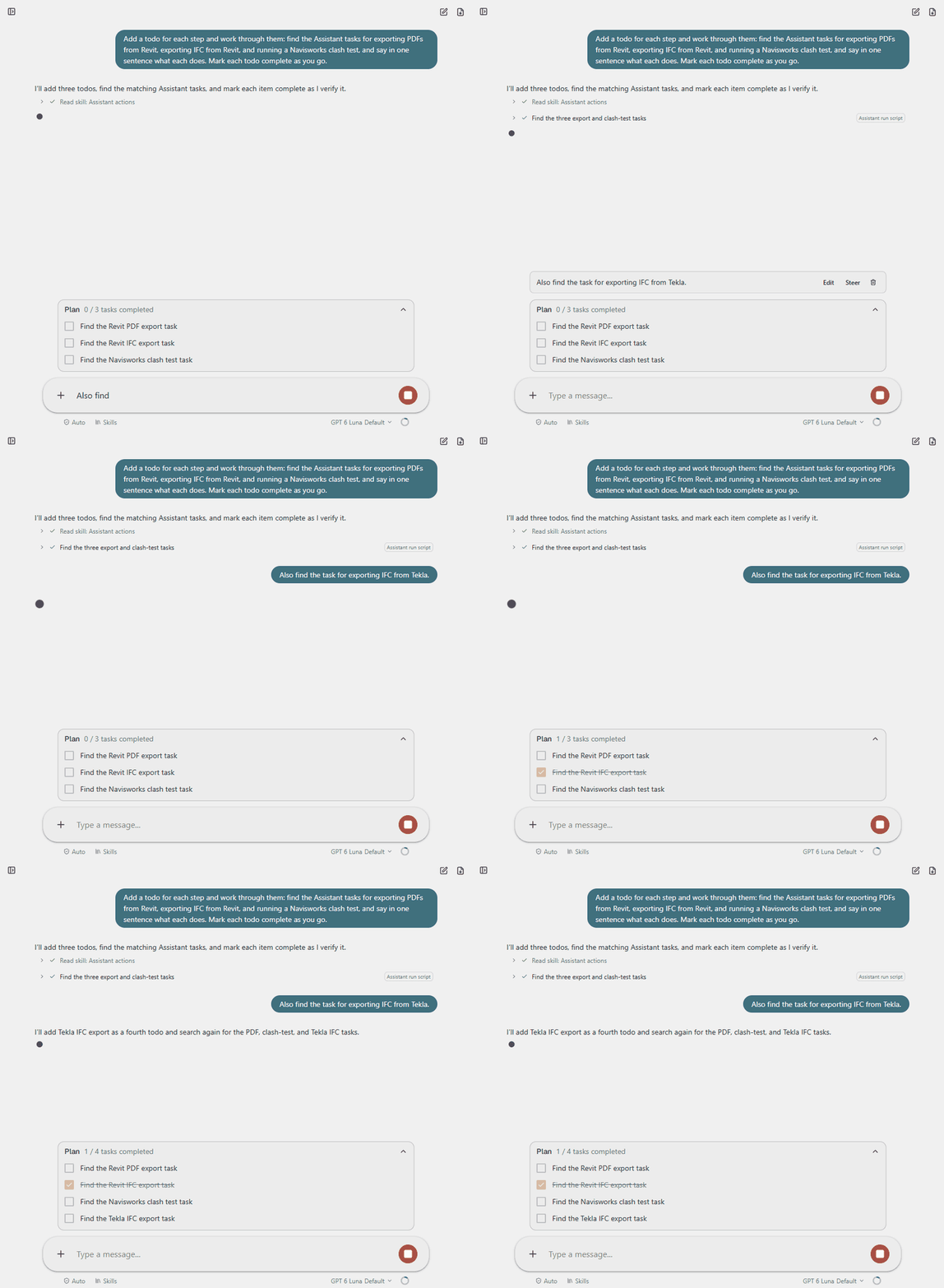
- For bigger jobs, the Agent shows its plan before it starts.
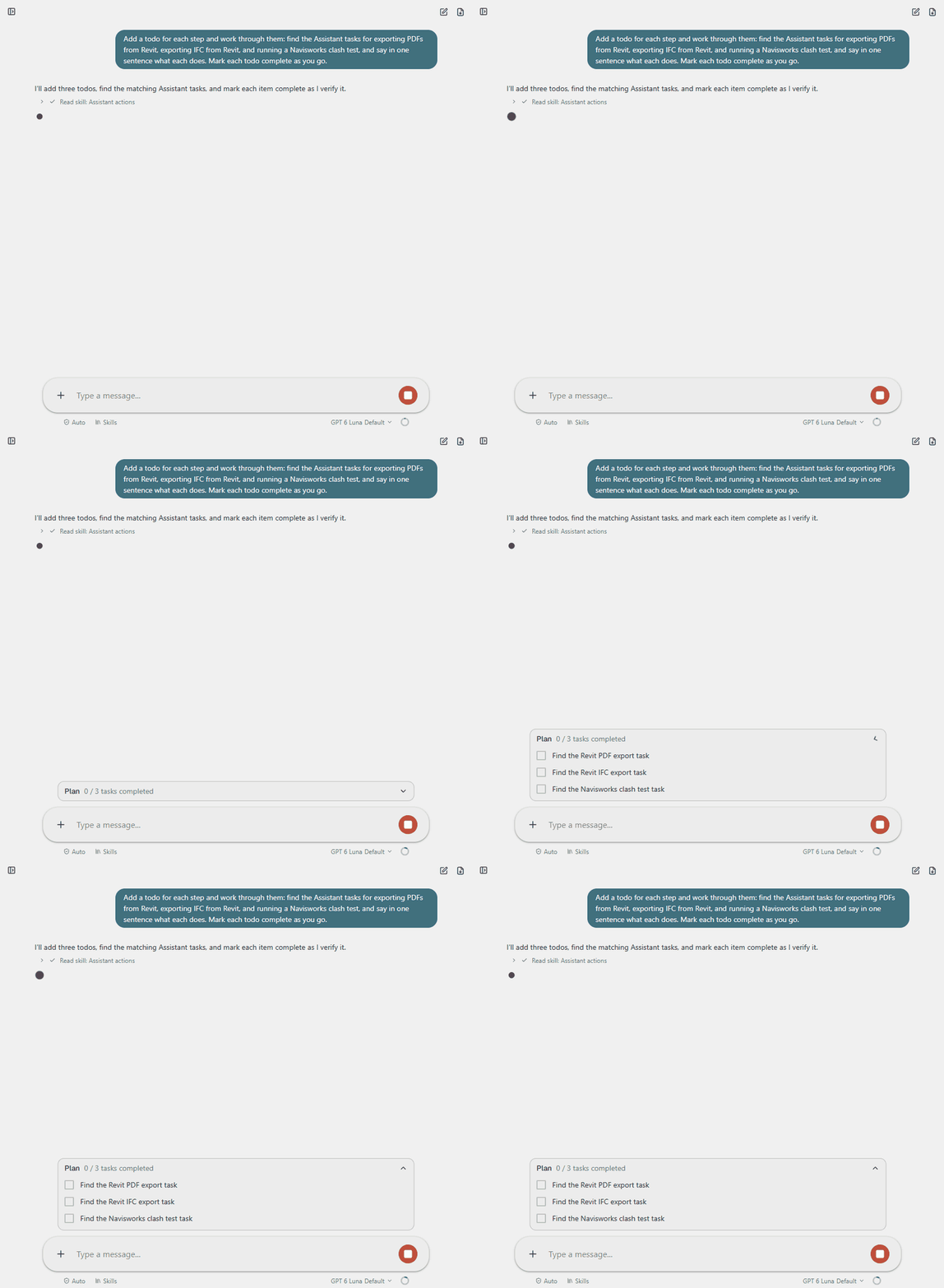
- Ask about the open action file or the selected task. The Agent can change a task's settings; you approve each change, and nothing is saved until you save the file.
- In Revit, AutoCAD and Tekla Structures, the Agent can write and run a C# script after you approve it. In Revit each step is saved as it runs, so if a script stops halfway, the earlier steps stay in the model. Tekla Structures has no undo for scripts. Click Show details on the approval to see the whole script. Approve this session lets later scripts in the same chat run without asking.
- Connect the Agent to OpenAI or Azure AI Foundry with your own API key. The chat then goes straight to that service. Without your own key it goes through the Assistant's built-in service to Azure OpenAI.
Revit
- The window for picking models from Autodesk Forma can be resized. Favorites sit beside the Forma tree, grouped by project and searchable.
- With two Revit sessions open, Integration connections lists both, with the version and the open model of each.
¶ Fixed
Revit
- Revit 2026 no longer runs out of memory and stops responding when an Assistant shortcut runs during a long Sync with Central.
- Open All Worksets no longer reports errors about worksets chosen earlier.
- Manual assignment in the Coordination Tool follows your conditional placement rules.
Assistant
- Searching tasks and extensions works again.
- Solibri AutoRun runs every batch, and handles paths with letters such as å, ä and ö.
- Loops over large Autodesk Forma or BIM 360 folders run into Autodesk's request limit less often.
- The ProjectWise include path filter matches the paths you expect.
- The task that closes a host application also works after the host has lost its connection.
- Opening or closing a pop-up menu no longer shows a Report issue dialog.