¶ While the Agent works
This page explains what you see in the chat while the Agent works, and how to step in.
¶ The plan
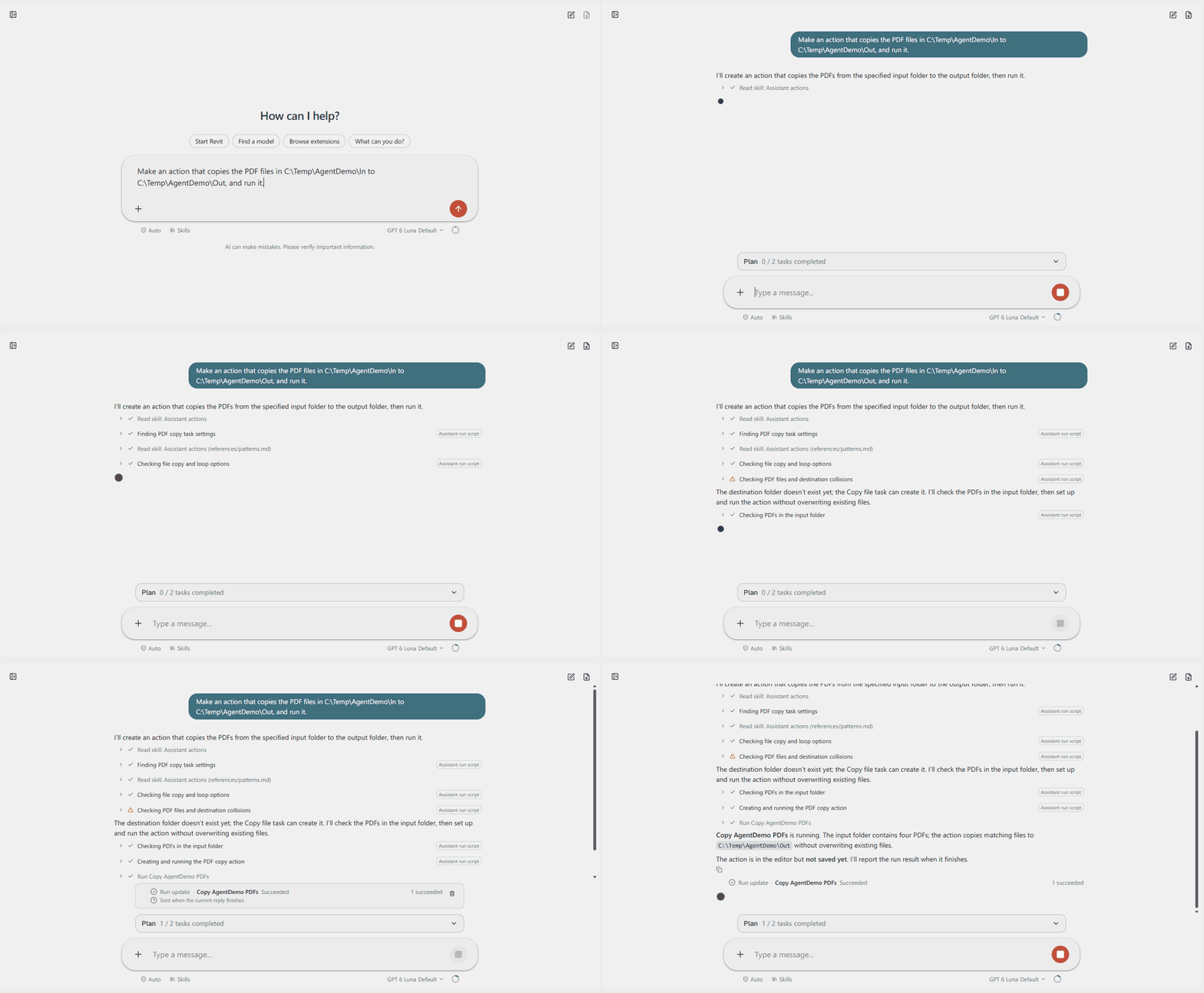
For a job with several parts, the Agent writes a short plan. It sits above the message box, for example "Plan 1 / 2 tasks completed". Click it to see the parts and which are done.
¶ The steps
Each step is one line under the Agent's text, such as "Checking PDFs in the input folder".
- A check mark means the step is done. A warning sign means it failed, and the Agent usually tries another way.
- The label on the right says what kind of step it is, for example "Assistant run script" or "Run Revit script".
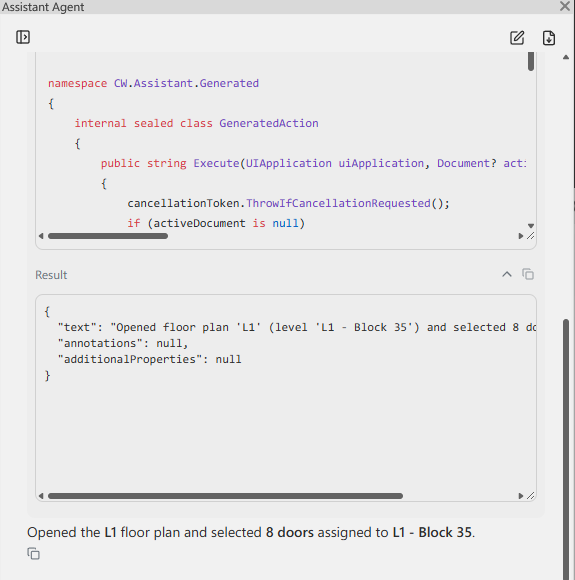
- Click the arrow before a step to open it. You see the script it ran and the result it got. The copy button copies either one.
¶ When the Agent asks you
Sometimes the Agent needs a decision before it goes on. It shows up to three questions with a few answers to choose from. Pick an answer, or write your own, and click Send answer.
It also asks before it saves, runs or reaches files. Those cards are explained on Approvals.
¶ Add to a request while it runs
You can keep typing while the Agent works. A message you send then waits in a list above the message box, and goes to the Agent when it is done with the current request.
- Steer, on a waiting message, gives it to the Agent now, in the middle of its work. The Agent reads it before its next step. Use it to correct the Agent without starting over, for example "Use the folder Out2 instead."
- Edit changes a queued message before it is sent. The cross removes it.
- If a request fails or you stop it, the waiting messages are held. Click Resume to send them.
¶ Stop
The square button in the message box stops the Agent. Steps that already ran stay done. See Approvals for what can be taken back.
¶ Runs
When the Agent starts an action, the chat follows the run. A "Run update" line tells you when it succeeds, and the Agent reports when a task fails.
¶ Saving the action file
The Agent edits the action file you have open, but nothing is written to disk until you approve the save. The card lists every change and the file it will write.
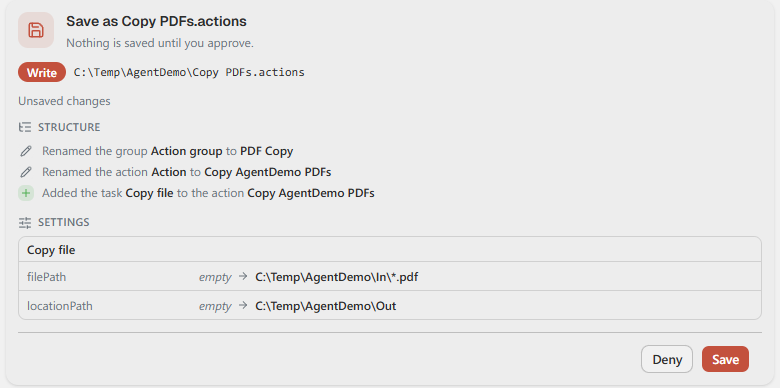
If the file name or folder is wrong, click Deny and tell the Agent where to save instead.