¶ Files In Folder
This looping task allows you to select a folder and iterate through every item within it, providing you with the capability to automate repetitive actions and streamline your workflow.
Folder path is required.
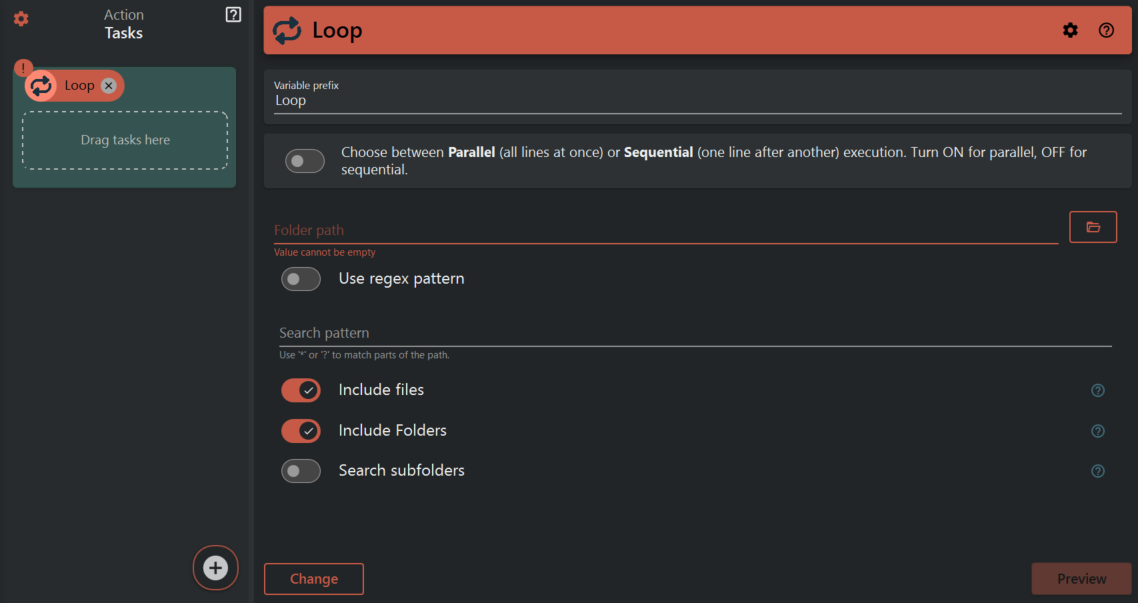
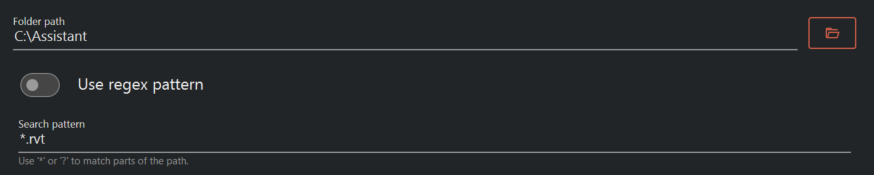
You can select a folder for the looping task by either pressing a button or manually entering its path. Additionally, you can choose a search pattern to specify the type of files you want to loop through. The search pattern must contain a wildcard symbol, represented by a star, to allow you to target specific files within the folder.
You also have the option to include or exclude files and folders in the looping process.

Click Preview to display what your variables will look like for each iteration in the loop.
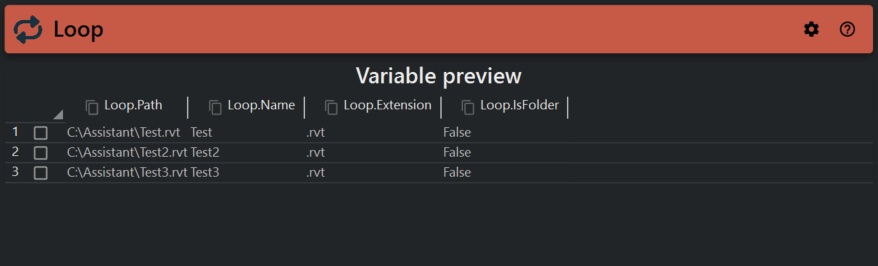
You will now be able to use these 4 variables in your assistant file: ${{ Loop.Path }}, ${{ Loop.Name }}, ${{ Loop.Extension }} and ${{ Loop.IsFolder }}.
-
- Iteration
${{ Loop.Path }} will have the value "C:\Users\Desktop\Test\ARK.rvt"
etc.
- Iteration
-
- Iteration
${{ Loop.Path }} will have the value "C:\Users\Desktop\Test\Fire.rvt"
etc.
- Iteration
¶ Example
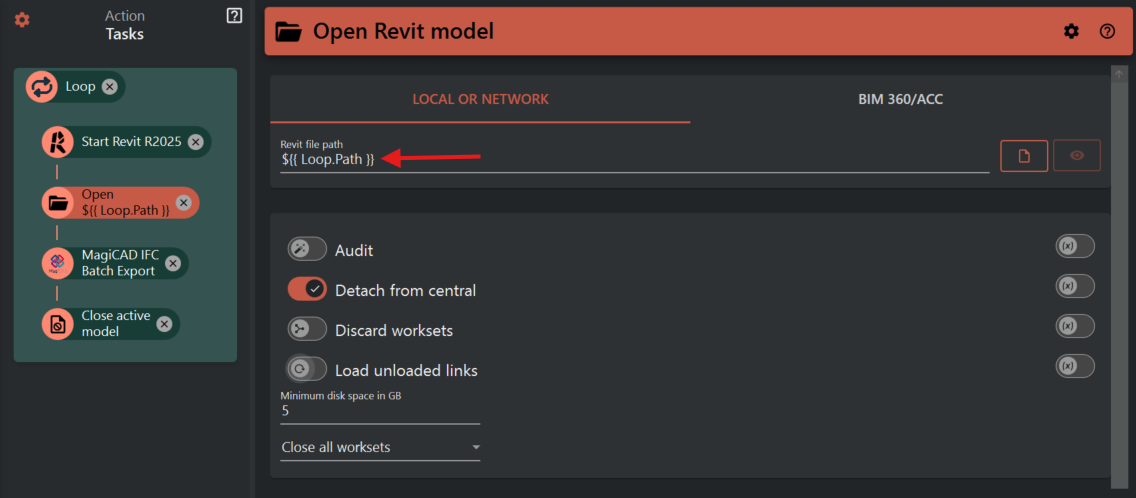
Using the configuration for the Loop task stated above, it is possible to set up an IFC export for all Revit files in a folder. You can read more about variables here.