¶ Assistant 5.0.12
This main release of Tools brings a lot of improvements, both under-the-hood and important changes to the most valuable tools.
Some changes to this version is not backwards compatible, see section about Assistant and Coordination Tool below
¶ Assistant Installer
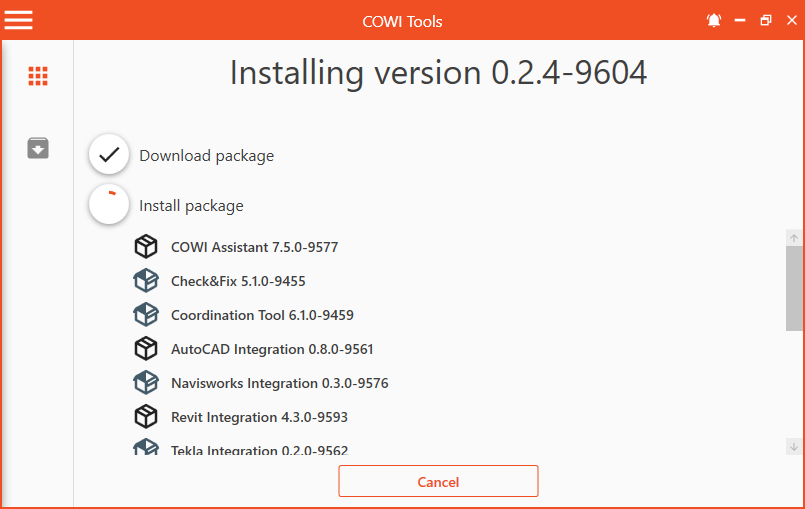
Many non-revit users has requested access to Assistant for work in Solibri, Navisworks, AutoCAD etc. In previous versions, this would not be possible without Revit installed. This is now solved by the Assistant Installer. This app runs in the background and installs Tools and keeps it up to date across all supported integrations. Read more about the desktop app here: DesktopApp
¶ Revit
- Assistant now finally supports Revit 2022. This version of Revit brought some huge breaking changes for Tools, which required us to change both how we develop, build and distribute Tools. With this new structure we are much better prepared for breaking changes in new Revit versions.
¶ Assistant
- Huge improvements to Python macro
- Added support for Information takeoff in Solibri Autorun
- Groups are now collapsable
Assistant file format has some changes that is not backwards compatible. After upgrading, older versions of Assistant will not be able to read .actions files saved with the new version.
¶ Python task
- New Python task that runs python script in a none Revit environment.
- Python scripts can now generate UI in Assistant. For moe details see documentation
¶ Coordination Tool
This version has been redesigned to support multiuser environment. It leverages worksharing feature in Revit where every mapping is a seperate element the user can check out. Read more at Coordination Tool documentation.
- New storage structure. This requires a upgrade of the old setup. This will be performed when starting Coordination Tools for the first time after getting the new version of Assistant.
It's important that you are alone in the model when upgrading and you must have all links loaded while the update executes.
- Each mapping is now saved as its own element. This has the benefit of multiple users being able to work on separate mappings at the same time in the same model. Earlier, only one user could work with Coordination Tool in the same model at the same time.
- Tags can now have set parameter and parameter copy associated with it. Adding one of these to a tag will also add this to all mapping with that tag. This makes it easier to align parameter copies to many mappings.
- Mappings don't load filters when it's loaded. This makes the mapping load much faster.
- Copy parameter can now copy by name, not only by id. This is helpfull if multiple links has the same parameter by name, but with different ids.
- Add extra
¶ UI Improvements
- Improve parameter selection load speed.
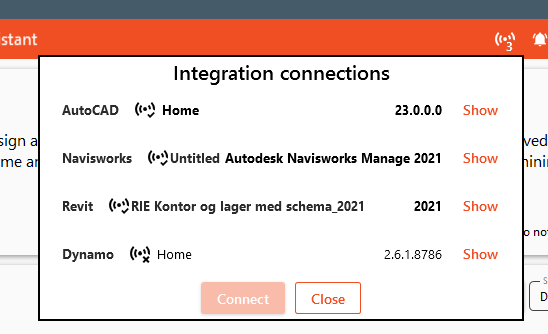
- Merged all integration connections to one icon. You can now connect to any of the supported integrations from the same menu. Click here for more informaton.