¶ Variables
The primary goal for variables in Assistant is to reduce the amount of configuration, enable template files and make action files reusable for others.
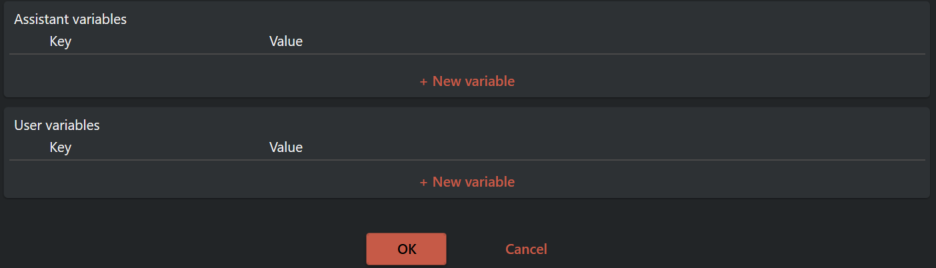
There are three different kinds of variables.
¶ Accessing variables and their hierarchy
There are three different levels you can define and access variables.
¶ Action file level
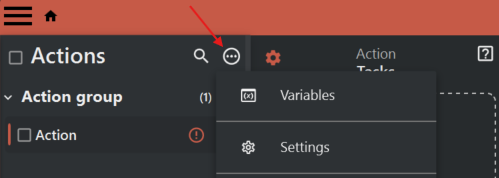
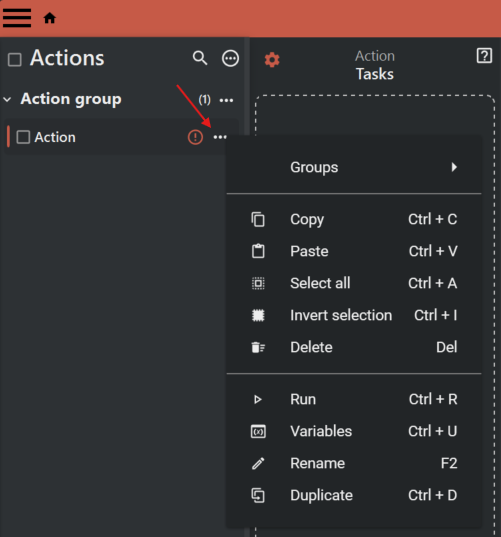
¶ Action level
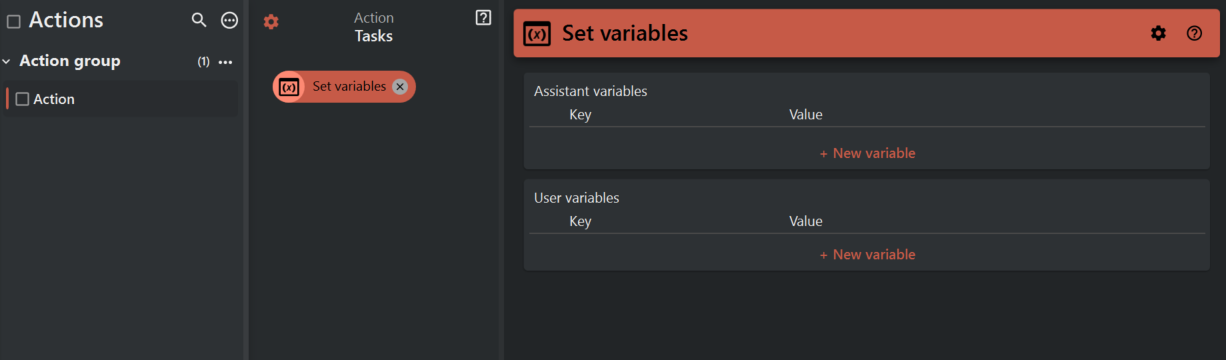
¶ Set variables task
¶ Example 1 - Defining different variables on all three levels
Define three different User variables.
- Variable1 with value A on the Action file level
- Variable2 with value B on the Action level
- Variable3 with value C in the Set variables task
Run the Action and click the Variables icon shown in the image bellow.
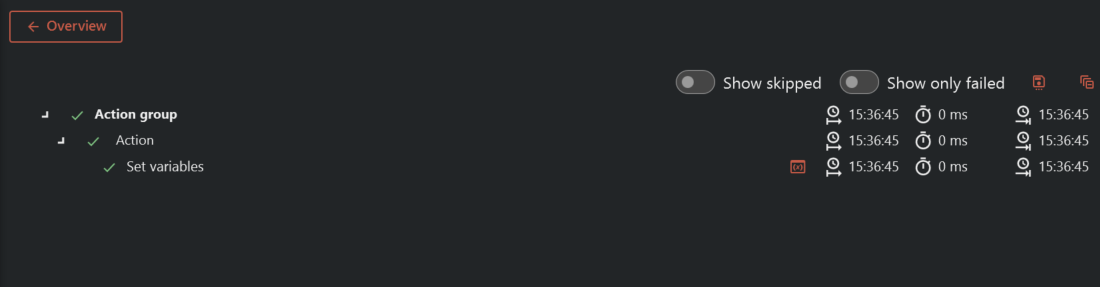
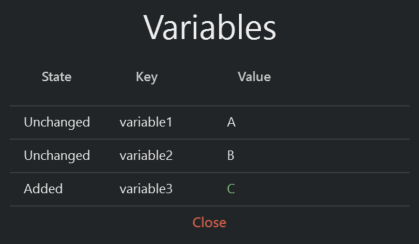
This view displays a list what variables were defined and their values. Variable1 and Variable2 was defined before the run started and is unchanged. Variable3 was defined runtime within the Set variables task and is therefore added.
¶ Example 2 - Overwriting variables
Define one User variable on two different levels.
- Variable1 with value A on the Action file level
- Variable1 with value C in the Set variables task
Run the Action and click the Variables icon as shown in Example 1.
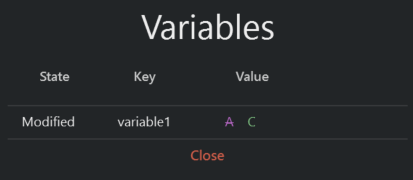
Variable1 has changed its value from A to C and has the state modified.
¶ Summary
- You can define variables on three different leves.
- Defining the same variable on different levels will result in modifying/overwriting the variable
- Set variables task will have precedence over Action level and Action level will have precedence over Action file level, when overwriting.