¶ Assistant 6.2.0
¶ Summary
This version introduces a comprehensive Void Manager workflow, enabling the creation of voids directly in the structural model and streamlining collaboration between disciplines.
AI is finaly making its way into Assistant, empowering users to write python scripts and helping out with decoding error messages in when a task in Assistant fails. Revit 2024 now supports extensions, including improved workflows with Inline Table in Loop tasks and a new Date Condition feature for timely workflows and the BIM 360/ACC loop tasks have been enhanced with new variables. Value Copy has expanded with new sources, a Revit Lookup transform, and is now available in extensions. Simplifications have been made by removing Project and Model GUIDs and improving file path fields. Tekla 2023 support and AutoCAD/Navisworks extensions support Autofill. The release includes numerous bug fixes and improvements, such as better task feedback, updated license information, and initial Revit 2025 support.
¶ New Void Manager workflow
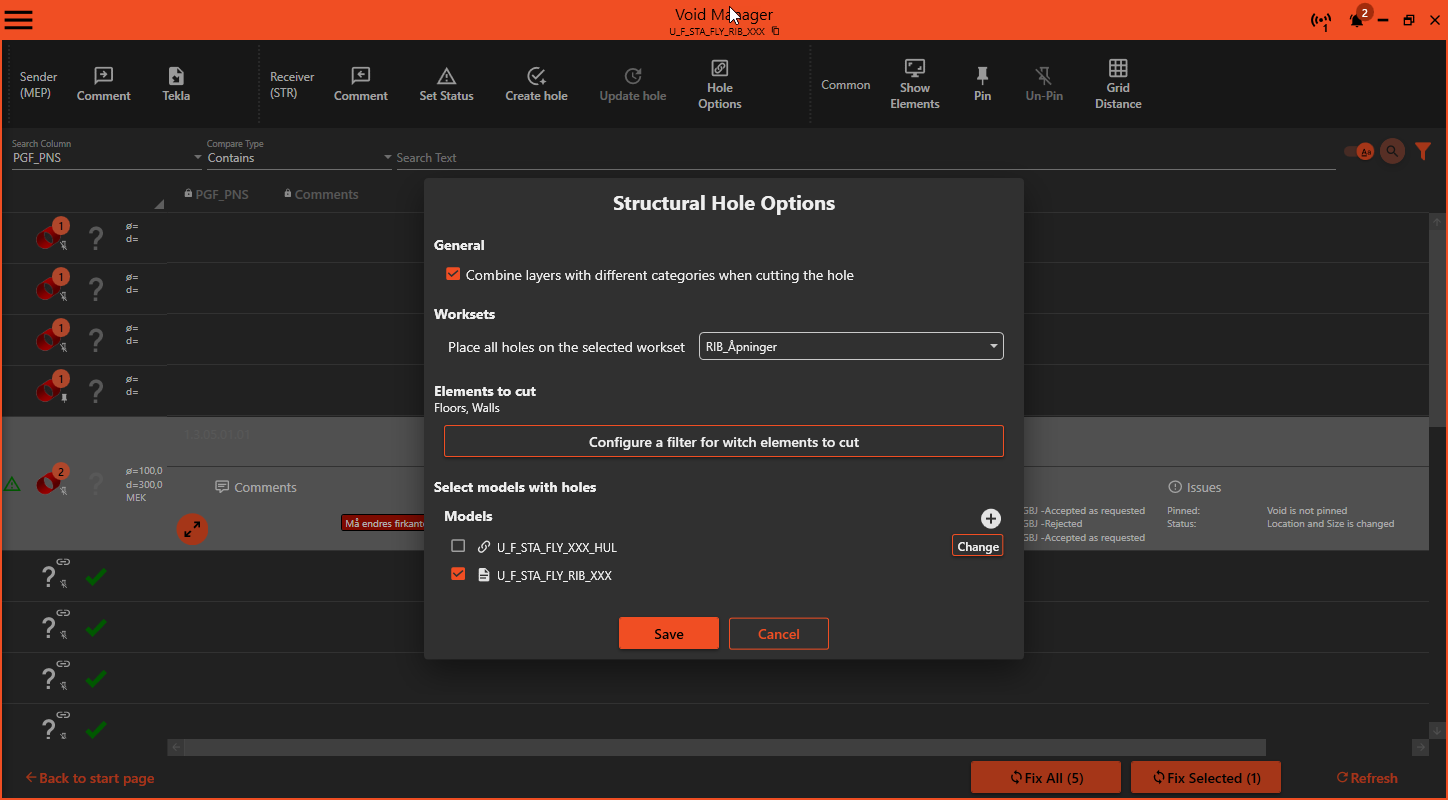
Void manager is great for monitoring provisioned voids and providing efficient communication between HVAC/electrical and the structural engineer. With this update, we take a big step forward with our new feature, creating actual voids in the structural model! This completes the full workflow cycle from void provisioning, communicating changes, rejections or accept, to creating the voids. Check out the Void Manager page for more information.
¶ AI in Assistant
¶ Chatbot
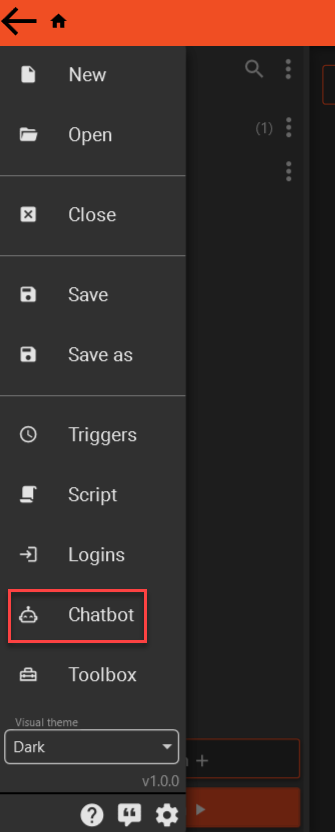
Do you have a question about Tools? Check out the Chatbot. It's soul purpose in life is to answer your questions regarding Tools.
¶ Toolbox - Regex generator
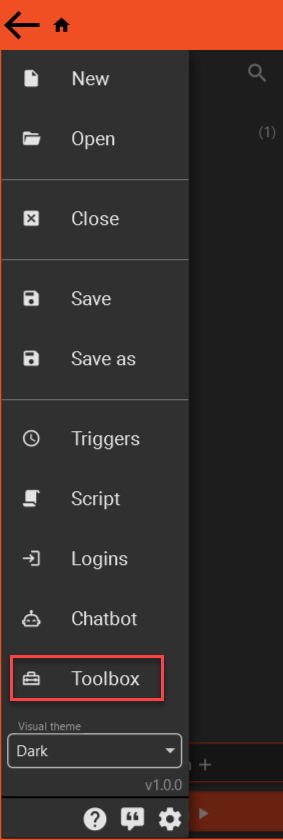
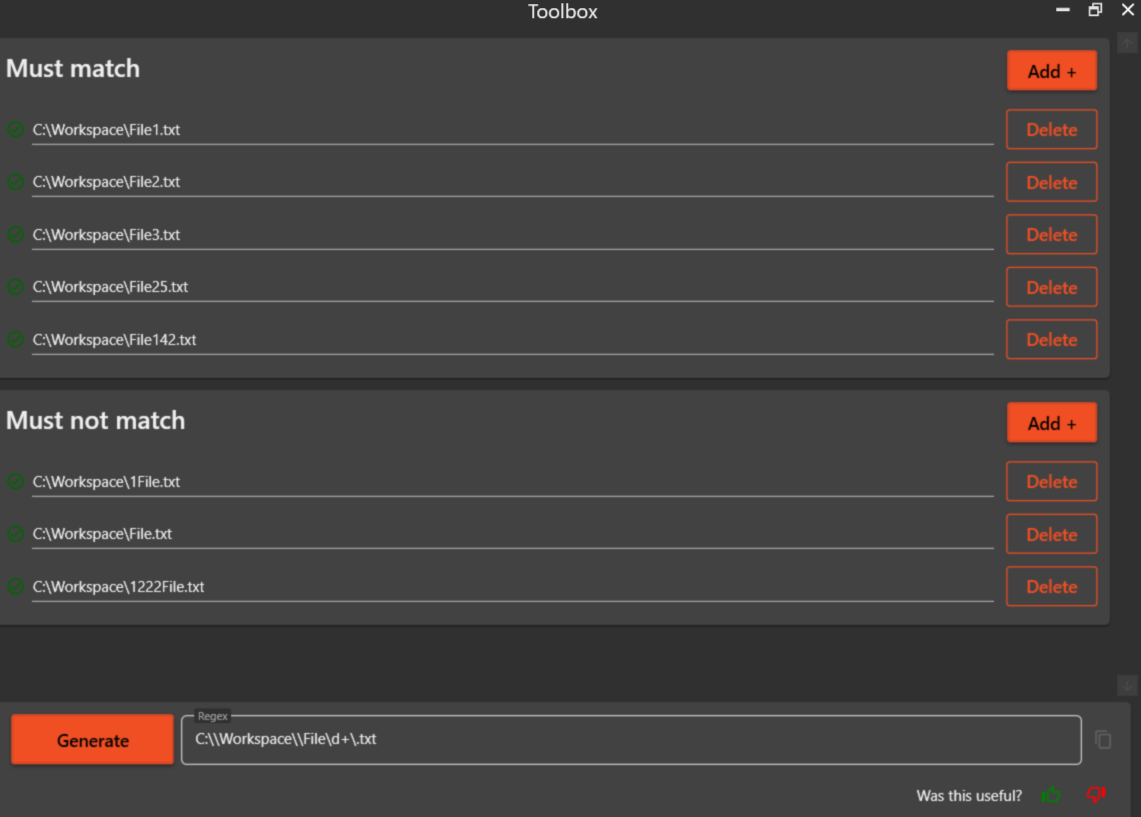
In the ToolBox you will find only one tool (for now). This tool helps you generate regex. Provide it with some examples of text it should match and not match.
¶ Python
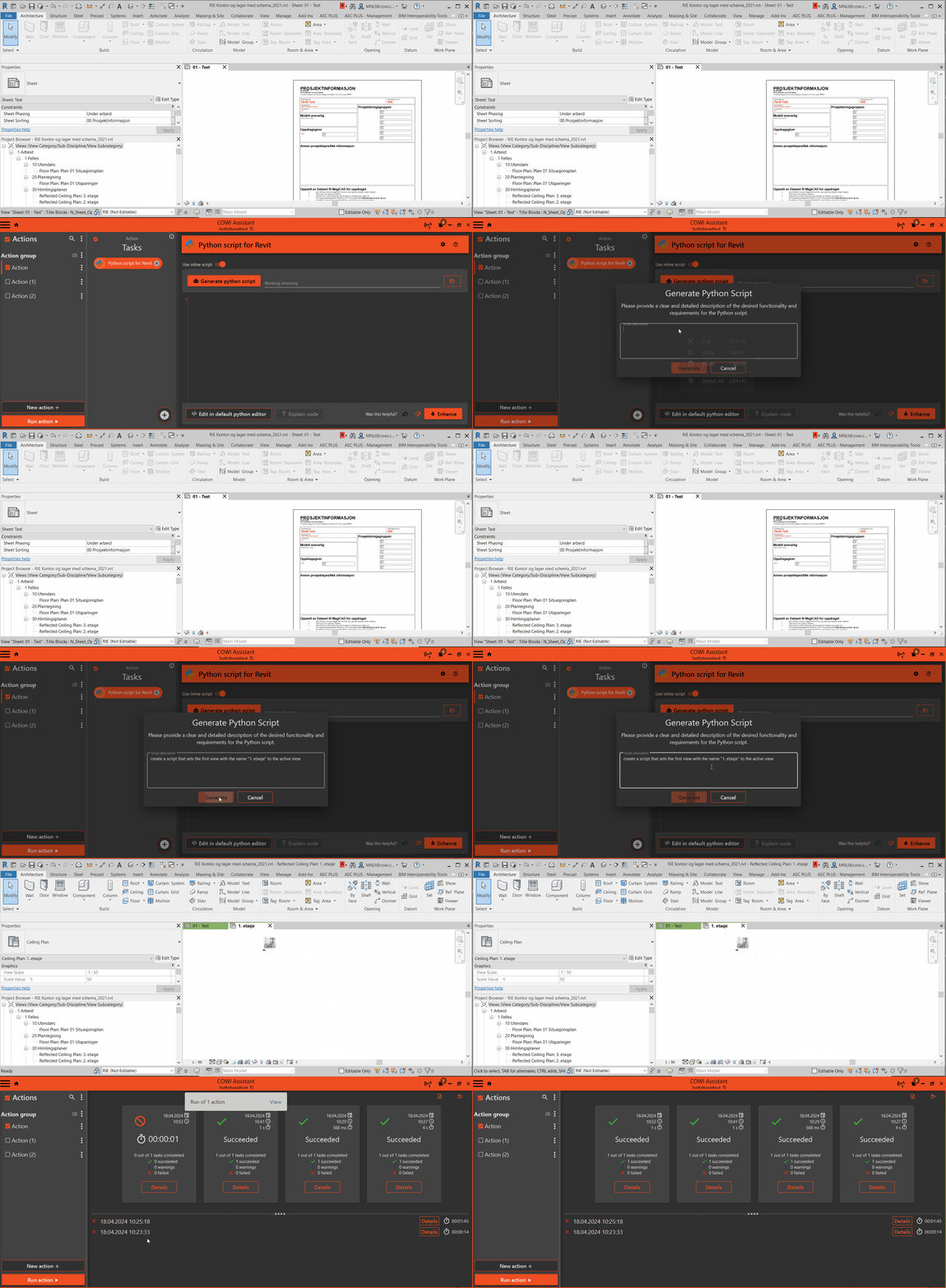
If you find it a bit complicated to get started writing Python, Assistant can now help you to write the script. Click Generate python script and provide a explanation of what your script should do. Assistant will then create that script for you based upon your instructions.
¶ Batch script
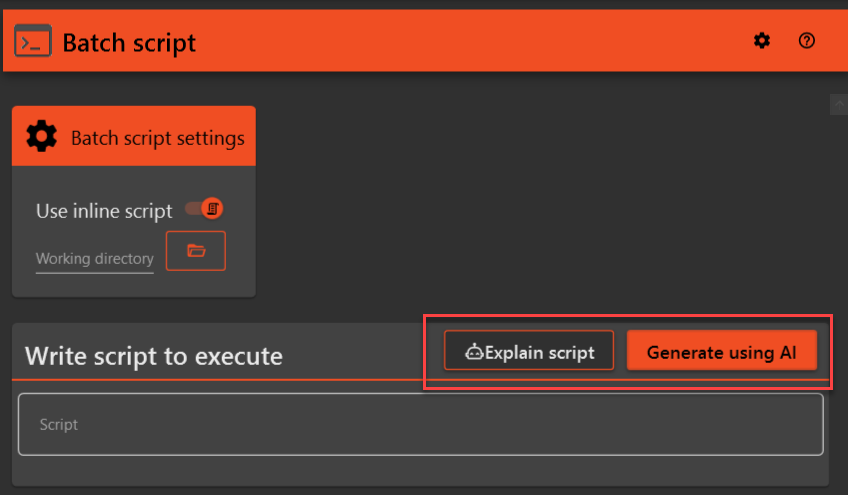
Same functionality as for the Python tasks, but for batch scripts.
¶ Error handling
Imagine running a task in Assistant that fails, sometimes it can be challenging to decode what the error message means. With the help of AI we hope this will become much easier.
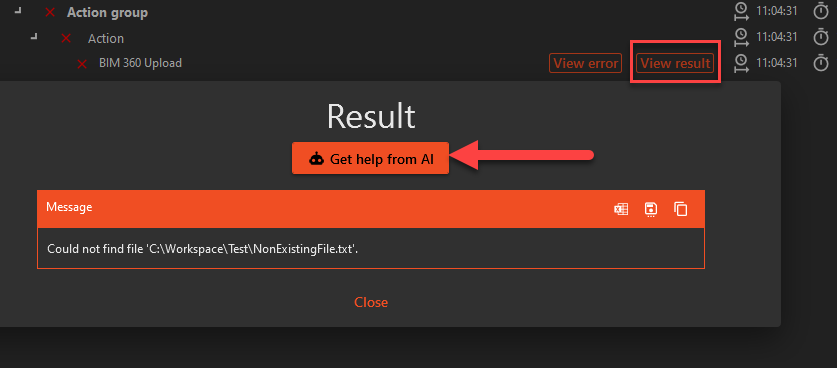
In the image above we have set up a BIM 360 Upload task to upload a file that do not exist. Click Get help from AI to help you decode the error message and get some pointers towards a solution. 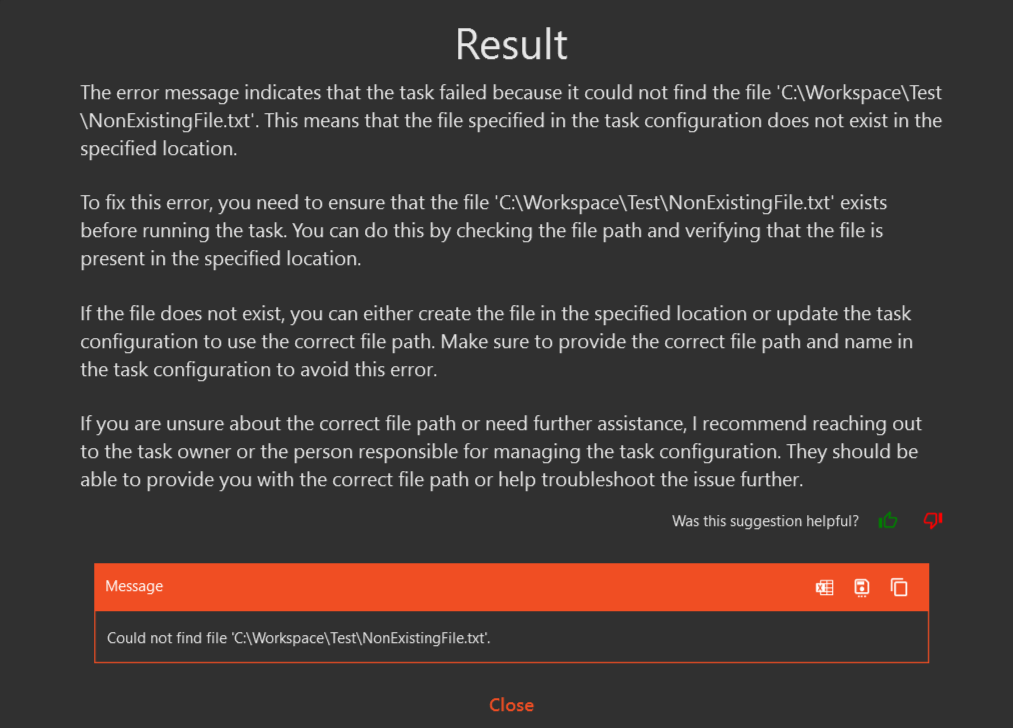
¶ Extensions now work for Revit 2024
Due to techical reasons, extensions were unable to run in Revit 2024. This is now resolved in the new version.
¶ Inline table in Loop task
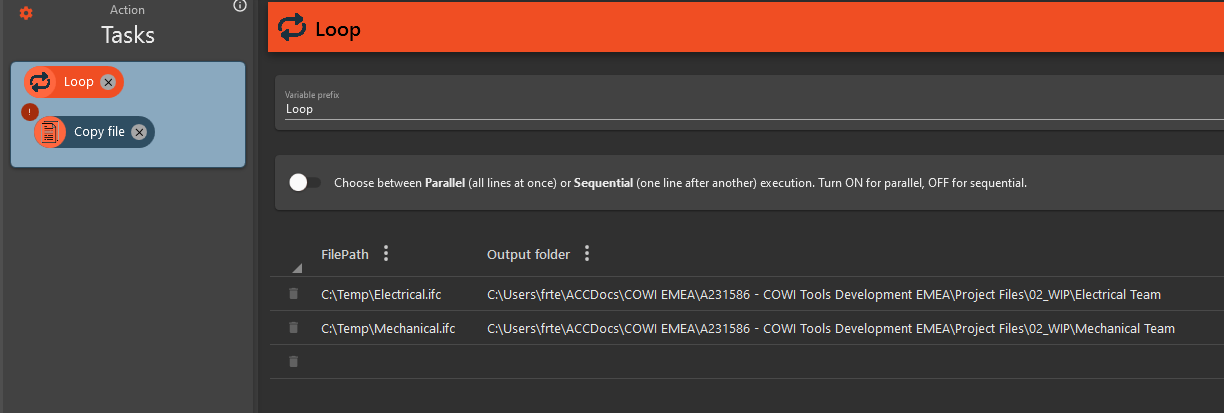
Ever wanted to do a operation in Assistant just a couple of times with different values, but thought it was too cumbersome to create a excel file to loop over? This is now made much easier by the new Inline Loop source in the Loop task! You can now define a table that the loop task can loop over that is directly inside the Assistant file. This makes it easy to set up simple loops without relying on some external excel file, nice! Fore more details, check out the Inline Loop source page.
¶ Date condition
The condition task has a new condition that allows you to compare a date to the current date, allowing you to execute certains workflows if a date is earlier or later than a specified amount of time, like 1 hour, 2 days, 1 month etc.
To read more, check out the condition task documentation.
¶ New BIM 360/ACC loop task variables
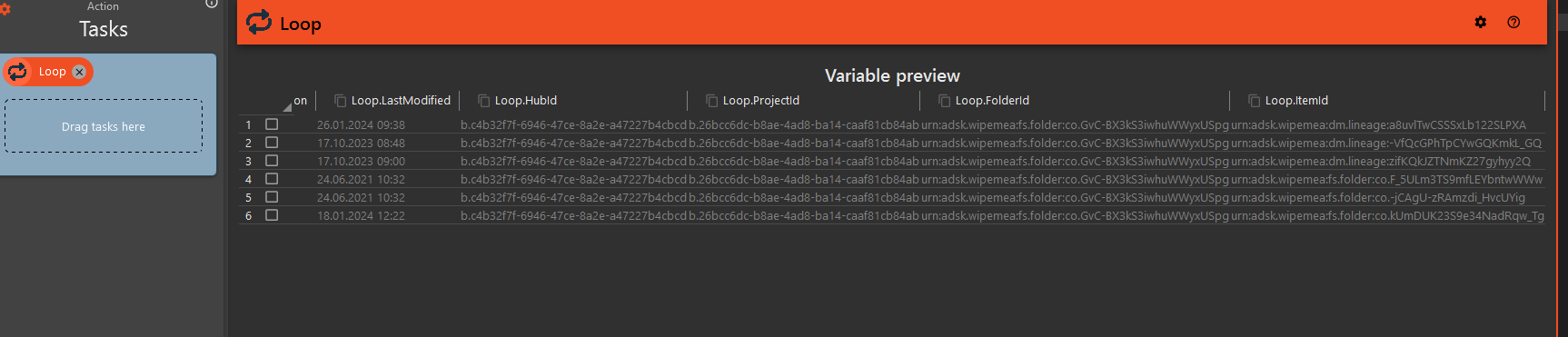
The BIM 360/ACC loop task now provides HubId, ProjectId, FolderId and ProjectId. We have also hidden the ModelGUID, as this is no longer needed for the Open Revit Model task, but don't worry, your existing setup will still work.
We have also added a variable for last changed date. This pairs nicely with the new Date Condition to only execute tasks on files that has been modified within a certain time.
¶ Value copy improvements
We improved the value copy with new sources and a new transform, supporting more workflows.
¶ New sources
- Level: Select a specific level in the model to get the name or id of the level.
- Workset: Select a specific workset in the model to get the name or id of the workset.
- Type: Select a specific type in the model to get the name or id of the type.
¶ New Revit Lookup transform
This transform works similar to how Excel Lookup transform works, by looking up the first element with a parameter containing a matching value, and then returning the value of another parameter. For a better explanation, check out the Value Copy Transforms page
¶ Now available to Revit extensions
Extension developers can now use the Value Copy control in their extensions, giving them all the power of this control in their extensions. Check out this page to learn how to use it.
¶ No more Project GUID or model GUID!
Have you ever wondered why there is a project Id, item id, project GUID and a model GUID, and when to use them? We've heard your confusion and we are now aligning the Open Revit Model task to use ProjectId and ModelId, thus saying goodbye to the GUIDs. We still use these behind the scenes, but in this update you no longer need to figure out which one to use.
¶ Improved file path fields
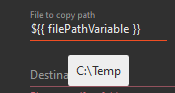
There are many tasks in Assistant that requires a file path, be it copying files, download/upload to various services, IFC exports and more. In many cases it makes sense to use a variable in these fields. Previously, this prevented Assistant from checking the content of the files at that path during configuration, as the value of the variables were unknown at this time. In this new version we added logic that attempts to find the value of a variable and use that path when configuring, making it much easier to work with variables.
In addition, we added a logic that will replace certain paths that contains username/initials, like C:\Users\USERNAME with %userprofile%, %appdata% etc. This makes the filepaths more universal, increasing the likelihood that it will work for multiple users. Typical usecase for this is when pointing to files in BIM 360/ACC folder, which is located in the user profile, making the path contain the username. This new change should make these setups easier to make generic and work for everyone on the project.

¶ Tekla 2023 support
Assistant now support Tekla 2023.
¶ Autofill now available in Navisworks and AutoCAD extensions
Extension developers for Navisworks and AutoCAD can now give a richer UI experience by providing value suggestions in the configuration UI. Learn more by checking out the documentation!
¶ Improvements
- Better feedback in Publish model task when setup is missing required fields.
- Save as BIM 360/ACC cloud model (Revit) now uses the b. prefix on the ids, aligning with the remaining BIM 360/ACC id fields.
- Improved selecting many spaces in Space Manager Fix Spaces view. Previously, this would not work as expected when the list of spaces were long.
- We updated the license list in Start Tekla task with the new license scheme announced by IT.
- BIM 360/ACC loop task no longer picks up Revit Cloud Models in the Consumed folder when the "Only include Revit cloud models" is selected.
- Improved browsing for save path in Excel to CSV export task by adding .csv extension if the user did not specify it.
- Added support for Revit 2025.
- BIM 360/ACC source in Loop task now supports displaying preview when having variables in HubId, ProjectId and FolderId
¶ Bugfixes
- Resolved an issue where the "Copy file" task would fail if the source file was in use.
- Fixed an issue causing the "Browse from here" option in the recent files list to be non-functional.
- Addressed a bug that prevented the "Loop task" from canceling operations when a timeout was reached.
- Eliminated an error that restricted users from adding favorite folders in the BIM 360/ACC browser of Assistant.
- Corrected a malfunction in the "Coordination Tool Refresh Mappings" task that impeded its compatibility with Revit Triggers.
- Rectified a spelling mistake in the "Excel lookup transform" dialog when searching for a CSV file, which previously obstructed CSV file selection.
- Fixed an inconsistency where row numbers erroneously appeared in column headers with the Standard Excel engine.
- Resolved an issue that produced an error message when starting multiple instances of Assistant at the same time.