¶ Assistant 6.4
¶ Streamline your BIM workflow with Shortcuts
Shortcuts enables users to add custom buttons to Tekla and Revit. These buttons executes a action group in a Assistant actions file. This means that everything you can setup in Assistant, can be available as a simple button click in Tekla or Revit.
¶ Assistant
¶ New Features
- New Tasks for downloading/uploading files to SharePoint.
- The AI Chatbot now uses a math module to be more accurate on math questions.
- Users can now check/uncheck all selected actions.
- Added a new feature to the Proximity Check in the Check and Fix tool, allowing parameter values to be copied between elements.
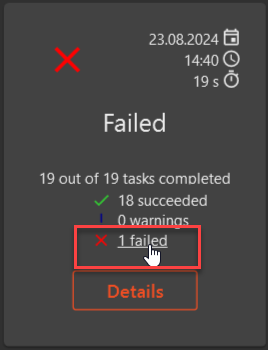
- Users can navigate directly to a filtered view for failed tasks in a action run by clicking on them.
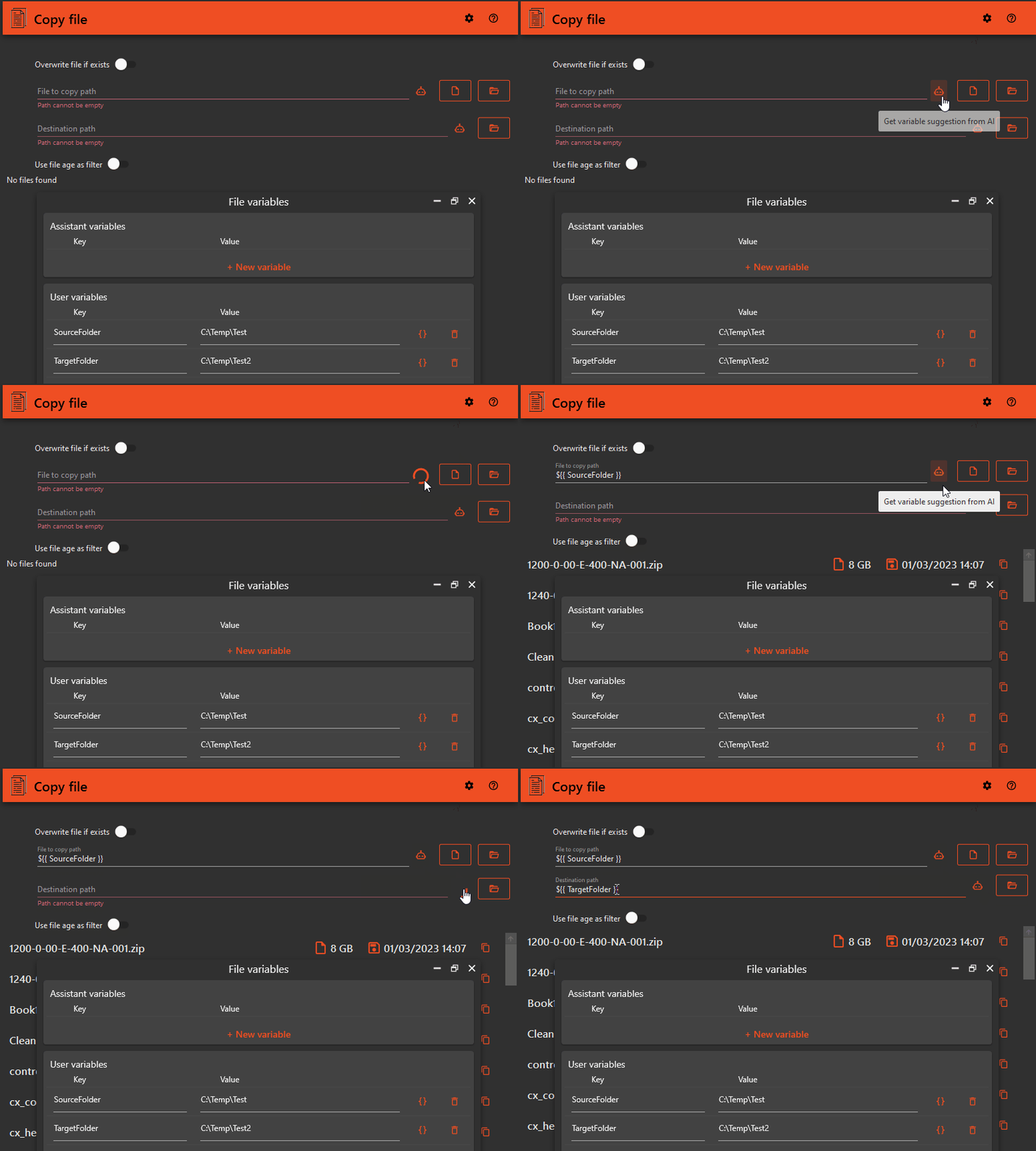
- Use AI to suggest variable to use. Click the AI icon on supported fields to get suggested variable. This option is only available when you have any variables set up in your Assistant file
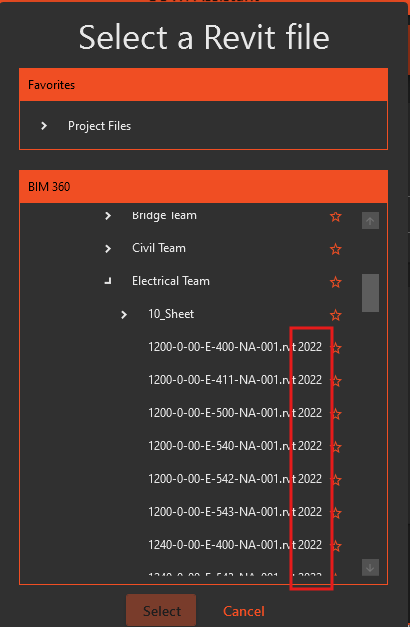
- Users can now see which version of Revit a Revit model in BIM 360 / ACC uses.
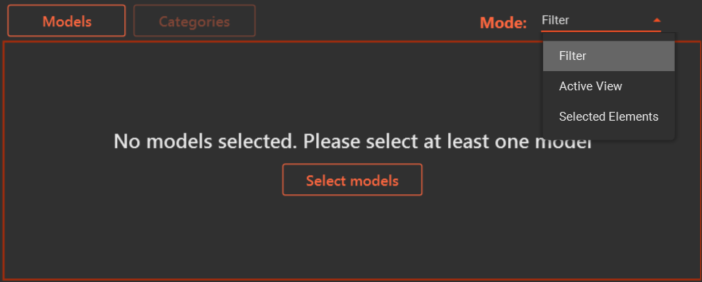
- Added a new filter setup across all tools with options to filter by active view and selected elements.
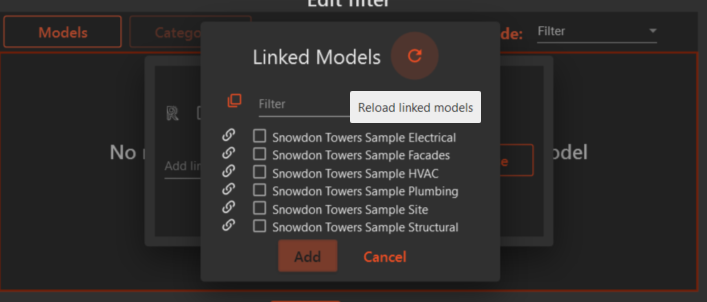
- Added the ability to reload linked models using the model selector.
¶ Improvements
- When configuring the Start Tekla task, users will only have valid licence options (Configuration in the user interface).
- 2021, 2022 and 2023 has "Diamond/Graphite/Carbon"
- 2020 has "Full/Engineering/ProjectViewer"
- File triggers now support wildcards, this will enable users to set up a trigger that executes a assistant setup every time a file in a folder changes that matches that pattern. (Example: "C:\Temp\*.rvt")
- When browsing for Revit file in Open model task in BIM 360/ACC, users are able to see the Revit version number on the Revit model.
- Type Name and Workset can now be fetched as text values in the value copy source.
¶ Bug fixes
- Fixed a bug that, under certain circumstances, terminated Assistant when adding a new action.
- Fixed a bug that caused Assistant to terminate when attempting to browse a ProjectWise repository that the user did not have access to.
- Downloading large files from BIM 360/ACC failed, this is now resolved. Users can download files of any size.
- Fixed a bug in the Revit IFC task that required a .ifc file path, and resolved an issue with the "Derive Name" option.
- Fixed a bug in the Save Model task to restore functionality.
- Grouped instance, type, and family parameters correctly under the right banner in the Parameter Selector.
- Fixed a bug in the Open Model task that occasionally generated worksets without deleting them.
- Check & Fix tool now correctly fetches parameters for the space category in the value copy source.
¶ Patches
¶ 6.4.1
- Fixed a bug where triggers would not load when opening a Assistant file with triggers