¶ Agent
The Agent is the AI chat in the Assistant. You describe a job in your own words. The Agent can build and run actions, find files and models, and run scripts in Revit, AutoCAD, Navisworks and Tekla Structures. Each step it takes is listed in the chat, and it asks you before it saves, runs an action or reaches a folder it has not been allowed to.
¶ What you can ask
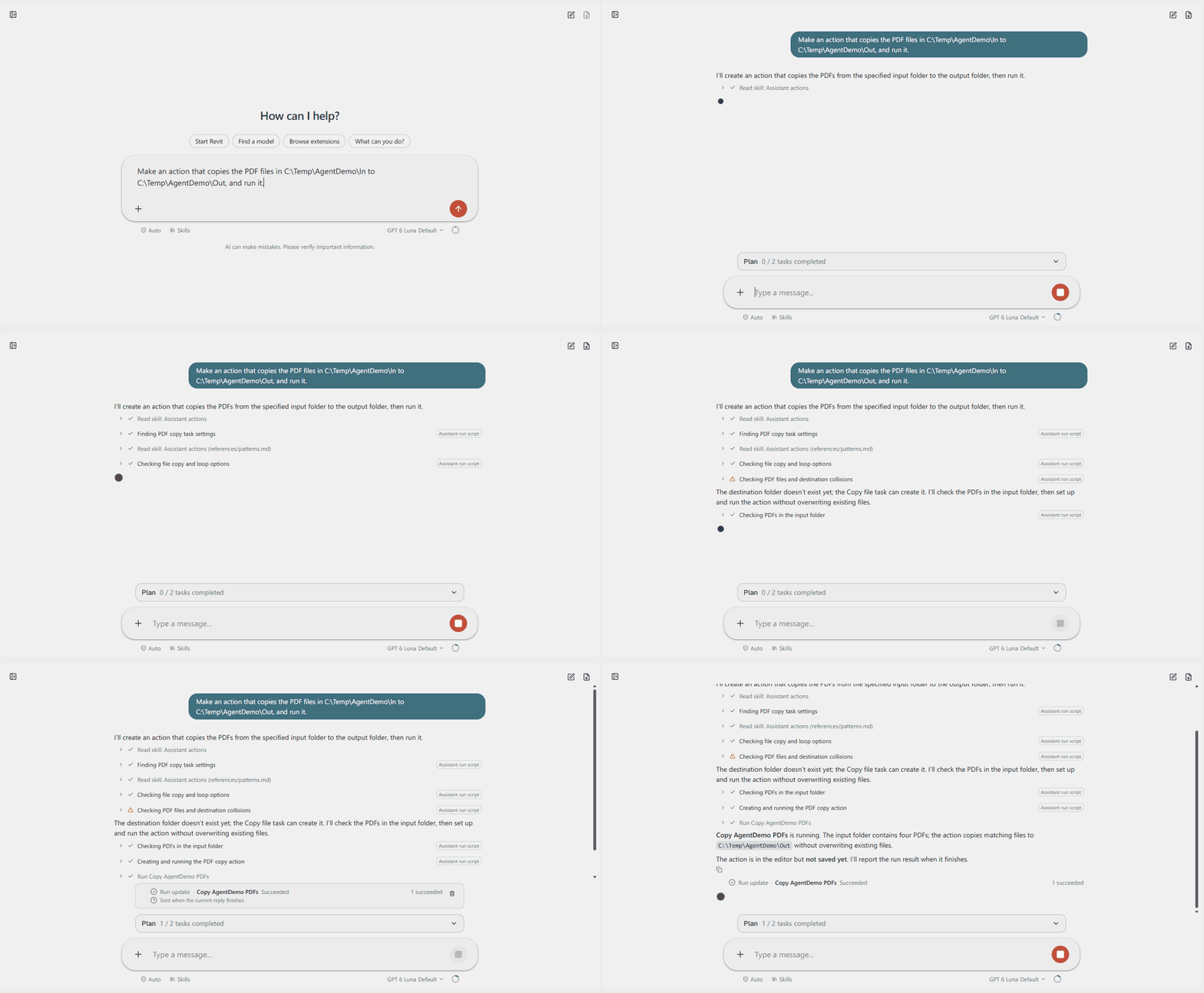
- "Make an action that copies the PDF files in C:\Projects\Example\In to C:\Projects\Example\Out, and run it."
- "Open the L1 floor plan and select the doors on that level." (in Revit)
- "Which sheets in this model have no revision?"
- "Add a task that exports the selected views to PDF." (with an action file open)
- "Here is a spreadsheet of room numbers. Which of these rooms are missing from the model?" (with the file attached)
Start with one job per request. When the answer is right, ask for the next step in the same chat.
¶ Read more
| Page | What it covers |
|---|---|
| Get started | Open the Agent, write a request, attach files, find an earlier chat |
| While the Agent works | The plan, the steps, questions, adding to a running request, stopping |
| Approvals | Auto, Manual and Bypass, what always asks, and how to undo |
| Revit, AutoCAD, Navisworks and Tekla | What the Agent can do in each app, and where you chat with it |
| Models and AI Credits | Choose a model, and how AI Credits are counted |
| Skills | Reusable instructions, and how to make and share your own |
| AI settings | The AI settings page, and how to use your own AI provider |
| For IT administrators | The registry policies that limit providers, approval modes and scripts |
| When something goes wrong | Messages you may see, and what to do |
¶ Your first week
- Keep the approval mode on Auto. It is the default.
- Start with requests that only read: counts, lists, checks. Let the Agent change things once you trust its answers.
- Take extra care in Navisworks and Tekla Structures. They have no undo like Revit and AutoCAD, so changes there are harder to reverse. Save a copy of the model first.
¶ Good to know
- The Agent can make mistakes. Open the steps to see what it ran, and look at the files or the model yourself before you rely on the result. You are still responsible for the work, as with any other tool.
- It does not see your screen. It knows the action file you have open, the tasks you have selected, which design apps are connected and, in Revit, the open model. Give it the rest in your request or as an attached file.
¶ Where your data goes
What you write, the files you attach and what the Agent's steps read, for example names and values from your model, are sent to the AI provider the chat uses. With the built-in service, Assistant AI, that is Azure OpenAI. With your own provider, it goes straight to that provider. The Auto mode review sees your messages and the script, not what the steps read. AI privacy and security describes how the data is handled.
The AI Agent task is a different feature: a task you put in an action, which runs an AI request as one step of that action.